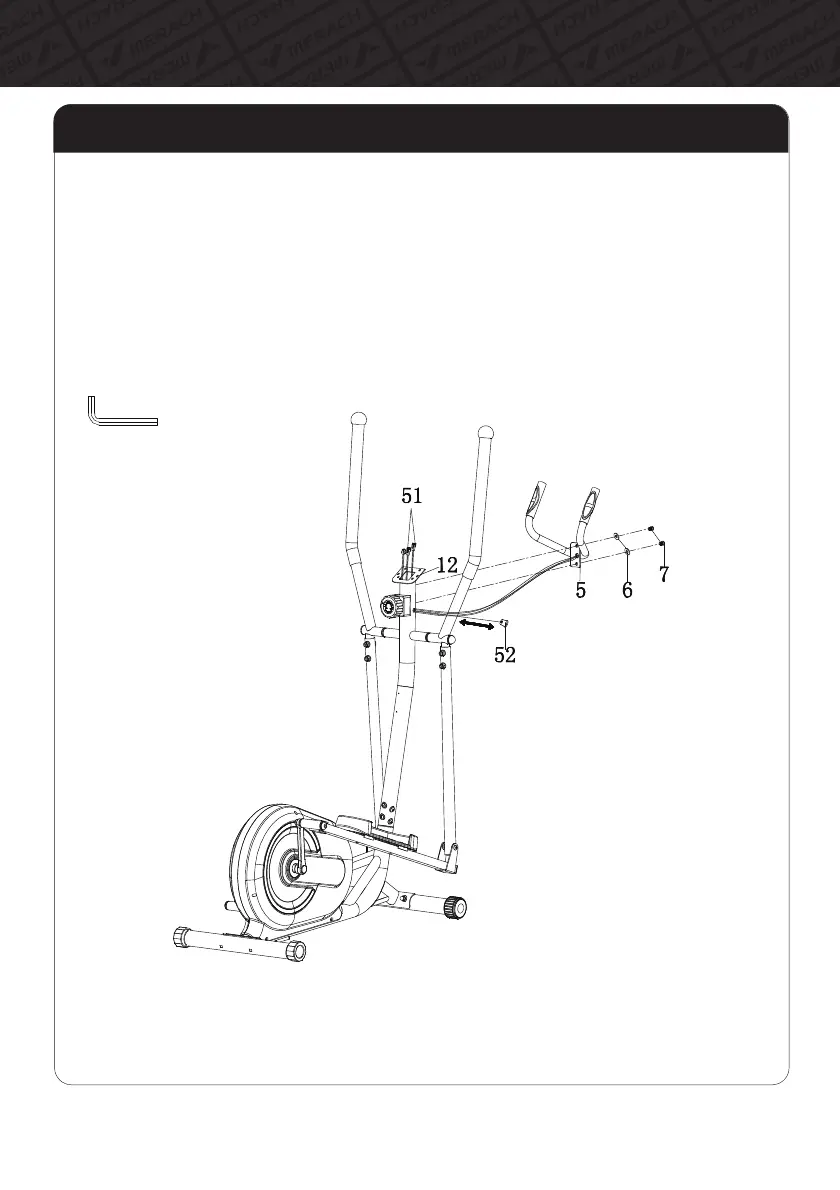
Step 6: Install the Middle Handrail
A. Remove the pre-assembled Stopper(#52) from the wire hole of Handlebar Post(#12).
B. Put the Heart Rate Wires(#51) of the Middle Handrail(#5) through the wire hole of Handlebar
Post(#12), and draw it from the plate of the monitor.
C. Tighten the Middle Handrail(#5) onto the Handlebar Post(#12) with the Hexagon Socket Pan
Head Bolt(#7), Arc Washer(#6) by the Allen Key(#B).
D. Put the Stopper(#52) in it.
11
Assembly Instructions



 To Next Page