Commissioning via the App
1. Install the
“Smart Life” app. Create a user account.
2. Acvate the WIFI funcon in the sengs of your appliance.
3. Place the appliance at a distance of about 5 meters to your router.
4. As long as the power is turned on, the WIFI indicator flashes slowly. Aer 3 minutes, the status
will be canceled if there is no network configuraon, and the indicator light is off. If you need to re-
connect the WIFI, long press the “mer” buon
for 5 Second to start the network configuraon, the
WIFI indicator flashes slowly.
5. When WIFI indicator flashes slowly, select “Add Device”- “Large Home Appliances”- “Portable
Air Condioner”, and follow the instrucons on the display. Select “AP Mode” on upper right of the
app, choose “Confirm indicator slowly blink” and press “Go to Connect” to connect the WIFI named
“Smart Life-XXXX”.
6. Once the appliance has been successfully connected, the WIFI lamp ligh
ts up. Now you can
operate the appliance using the app.
7. Press and hold the Timer buon for about 5 seconds, the appliance disconnects, the WIFI lamp
lights off.
TROUBLE SHOOTING
Network connecon failed Soluon
Network connecon meout
1.Check if you select the WIFI named “Smart Life-XXXX”.
2.Turn off the machine and unplug the power code and plug
in aer 10 seconds, enter the App to connect again.
WIFI indicator off
Long press the “Timer” buon or turn off the machine and
unplug the power cord and plug in aer 10 seconds.
WIFI hotspot disappear and the
WIFI light flash
Turn off the machine and unplug the power cord and plug in
aer 10 seconds, enter the App to connect again.
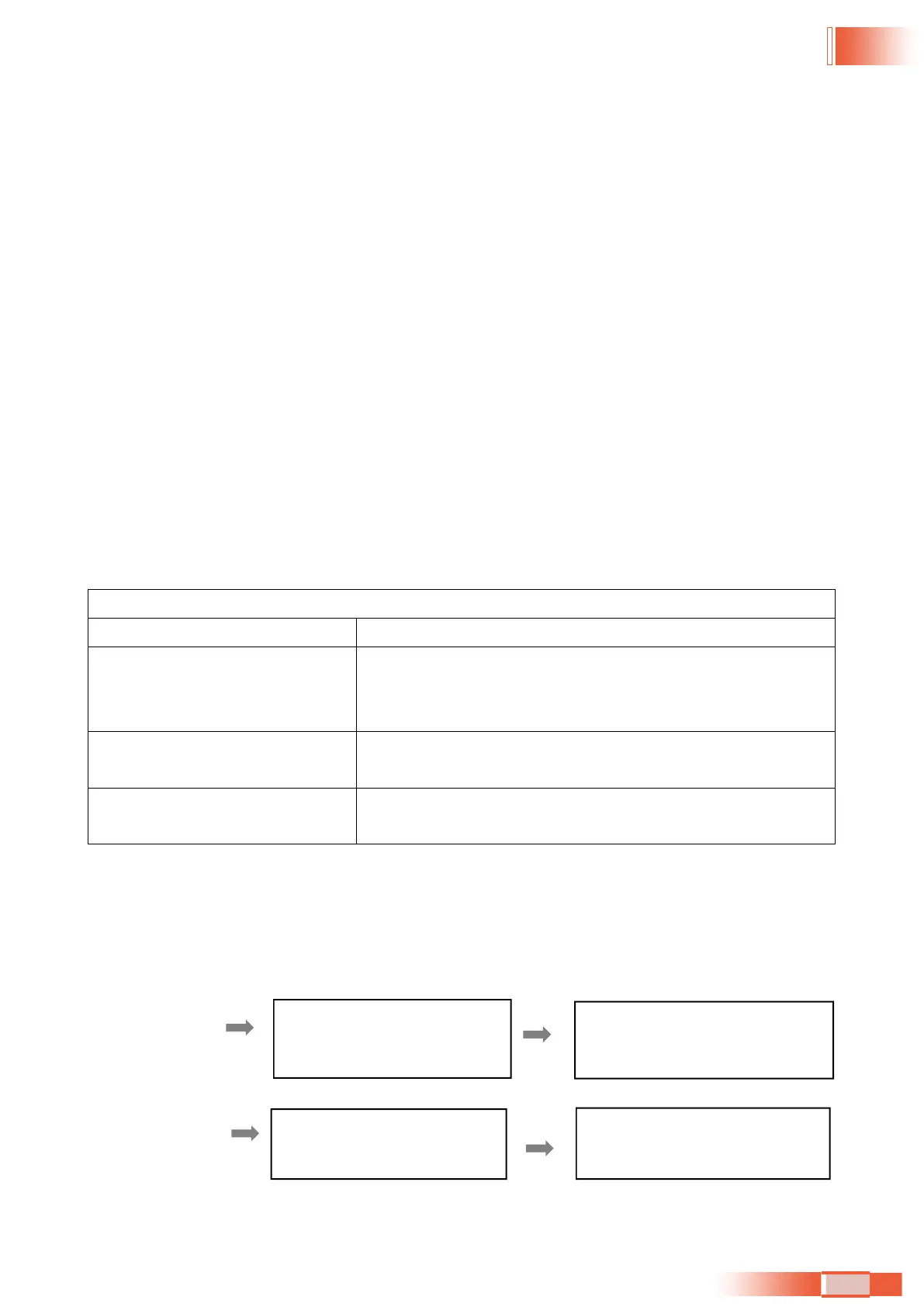
5.4.3. TIMER SETTING (1hour-24hours):
The mer has two ways of operaon:
To turn off
(When power on)
To turn on
(When power off)
Press Timer key to turn on the
timer function.
Press Timer key to turn on the
timer function.
Press UP/DOWN repeatedly to
set the delay OFF time.
Press UP/DOWN repeatedly to
set the delay ON time.
36


 To Next Page
 Loading...