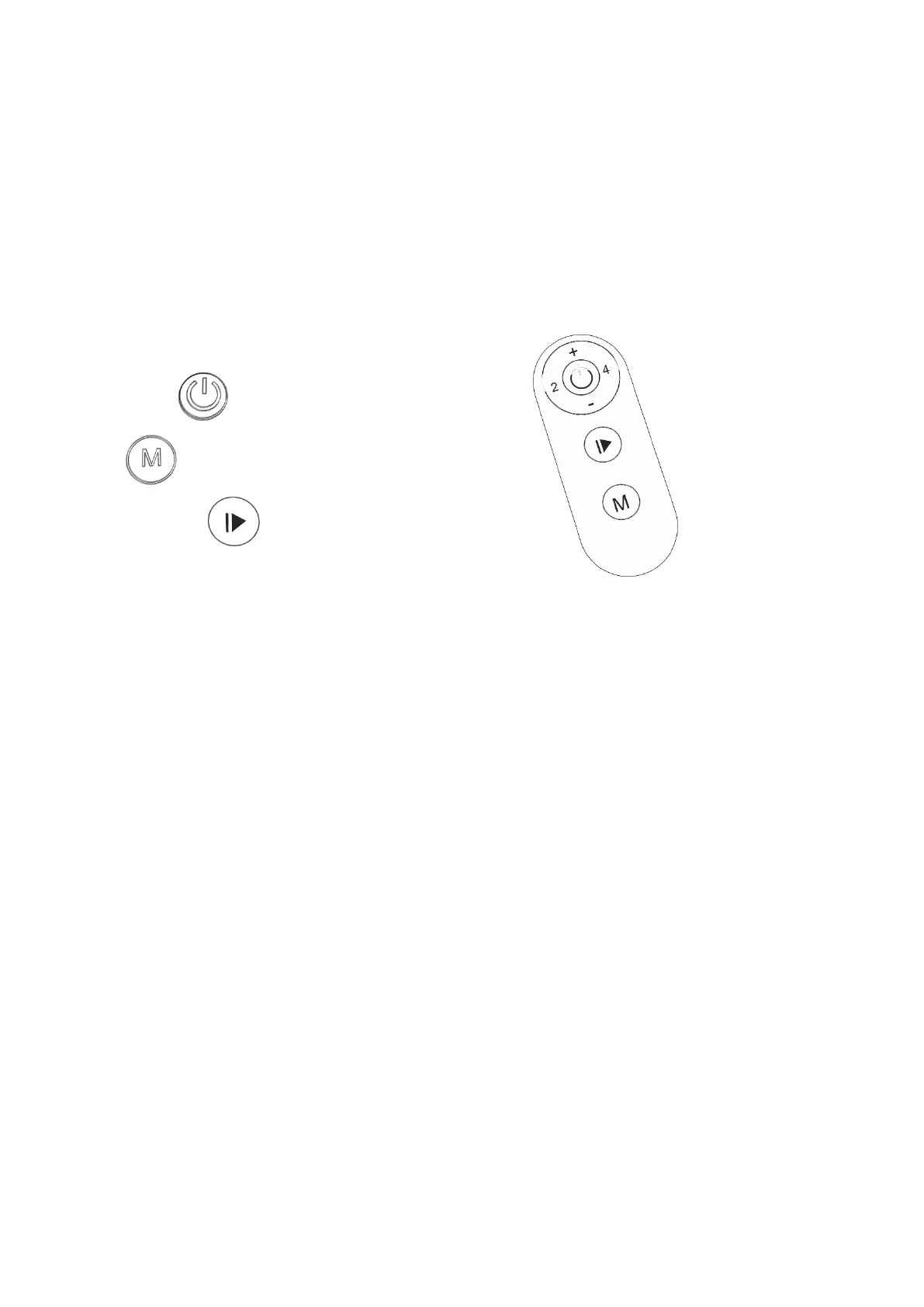
Remote Control
The remote control was already paired to treadmill before delivery, it can be used immediately, no need to
pair it again.
(*How to pair remote control to treadmill: Press speed “-” and “M” keys at the same time for more than 3
seconds, then release two keys at the same time, turn on the power switch of treadmill in 2 seconds, after
that pairing will be completed.)
1. Remote control button description:
- Start / Stop
- Mode
- Pause/Recovery
- Speed “+”/ “-”
- Speed “2”/ “4”
2. Remote control function and operation instructions
- Start Function: Start the treadmill
Operation: The computer in standby mode, press the button to start the treadmill.
- Stop Function: Stop the treadmill
Operation: Press the button at any time to stop the treadmill, the exercise data is retained for 10 minutes.
- Pause/Recovery: Press it during operation to pause,press it again to resume and continue the movement.
- Speed “+”/“-” Function: Adjust speed value in the running state
Operation: When start the treadmill, press the “+”, “-” buttons to adjust the speed by 0.1KM/H each time, speed is keep
increasing or decreasing when press the buttons for more than 1 second.
- Speed “2”/“4” Shortcut keys: One touch to speed 2 or 4 KM/H
- Mode Function: This button is used to choose below 4 modes as your needs.
*SPEED: Displays the current speed value.
*TIME: This mode displays the time you have run.
*DISTANCE: This mode displays the distance you have run.
*CALORIES: This mode displays the calories you have burned during your exercise.
Attention: After acceleration and deceleration, the monitor will automatically switch the mode in turns.


 To Next Page