Quick start
8
QUICK START (after installation performed by a qualied eld service representative)
Exit screensaver
A screensaver automatically appears after a few minutes if the HMI touchscreen is not used.
Screensaver
Tap anywhere on the screen or initiate a manual dispense by pressing the dispenser wheel to exit
the screensaver.
Dispense ultrapure water
It is a good practice to recirculate water for a minute or longer before dispensing.
To do this, press on the recirculation icon,
this also refreshes the water quality parameters:
• Product resistivity
• TOC
• Temperature
There are several options to dispense ultrapure water:
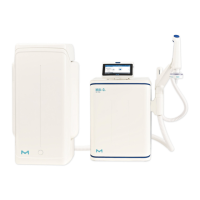
Manual Dispensing
To start dispensing in low ow, turn the dis-
pense wheel one notch counter-clockwise.
To start dispensing at full ow, press down on
the dispense wheel.
Adjust owrate Stop
To increase the ow rate keep turning the
wheel counter-clockwise until full ow is
reached. To decrease the ow rate, turn the
wheel clockwise.
Low ow Full ow
To stop dispensing, press down on the wheel
or rotate the wheel clockwise until no more
water ows from the dispenser.
+
+
_
Recirculate
Home screen
Status bar
Home Menu


 To Next Page
 Loading...