2
Installation and Set-Up
1. What are some tips when placing M6 nodes around the home to ensure
optimized performance?
• Avoid placing nodes in areas with obstructions and poor ventilation (e.g. next to
furniture)
• Place nodes in higher areas of the room to optimize coverage (e.g. on a shelf, desk,
etc.)
• Avoid placing your nodes in areas close to electronic appliances that may cause
signal interference. E.g. microwaves, 2.4G wireless mouse, and 2.4G wireless
telephones
• Consider the building materials used to construct your home, as it may impact
signal strength between nodes
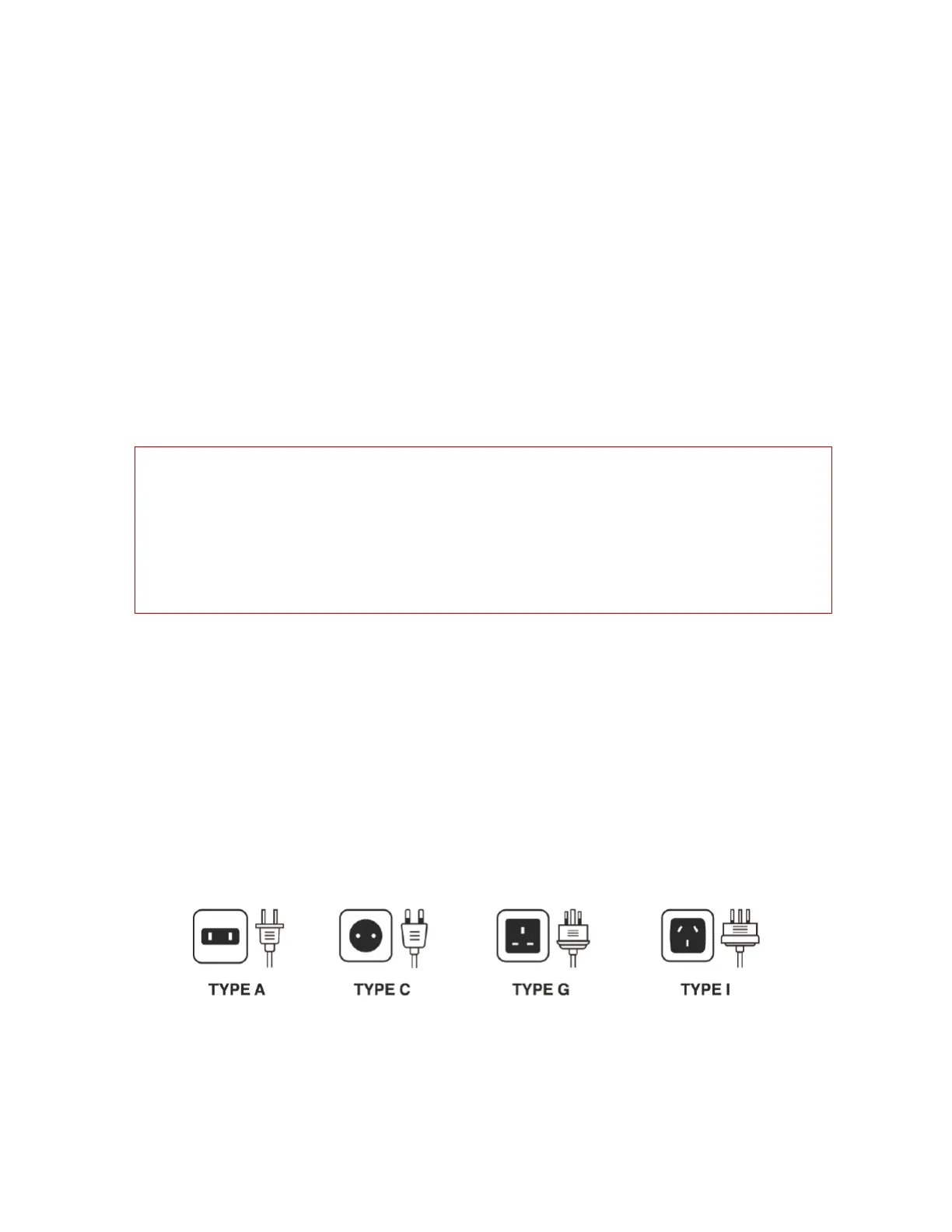
2. Do you have different plug types available for countries outside of North
America?
In addition to the North American plug type (Type A), we have plug types available for
the following regions:
• Europe – Type C (for a list of countries that use this plug type, visit:
https://www.iec.ch/worldplugs/typeC.htm)
• UK, Ireland, Cyprus, Malaysia, Singapore, Hong Kong – Type G (for a list of countries
that use this plug type, visit: https://www.iec.ch/worldplugs/typeG.htm)
• Australia, New Zealand – Type I (for a list of countries that use this plug type, visit:
https://www.iec.ch/worldplugs/typeI.htm)
3. How can I access and manage my network?
a. Mobile Devices: You can access and manage your network using the Mercku App –
available on the Google Play Store and Apple Store.
Walls and materials impact Wi-Fi strength. When placed in an open area, the optimal
distance between nodes is within 23 ft (7 m), but can be reduced by the following types of
materials:
•
Wood or plastic: 16.5 ft (5 m)
•
Glass: 6.5 ft (2 m)
•
Cement or metal: 3.3 ft (1 m)


 To Next Page