12
Motherboard User’s Guide
Jumper Settings
Connecting two pins with a jumper cap is SHORT; removing a jumper cap from
these pins, OPEN.
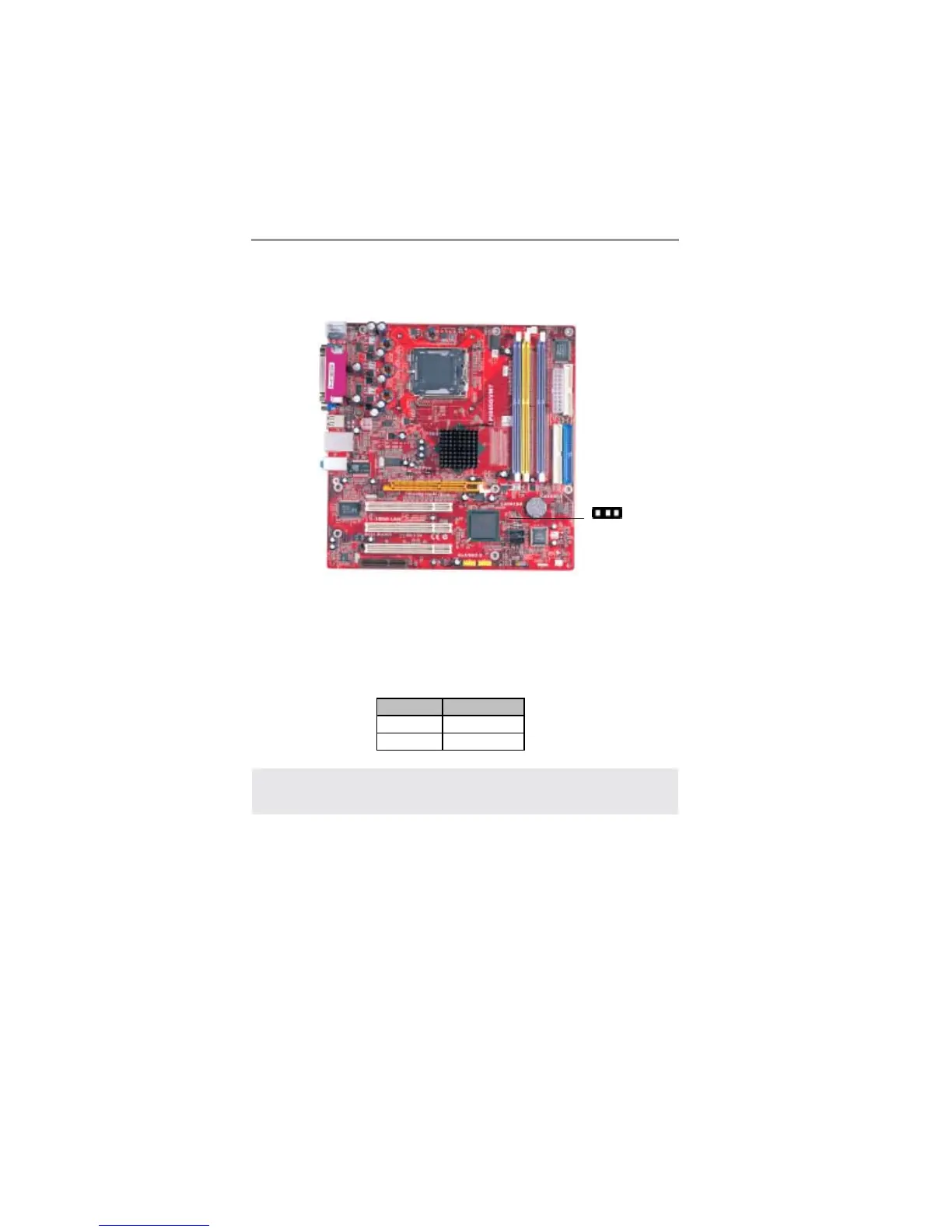
JP1: Clear CMOS Jumper
Use this jumper to clear the contents of the CMOS memory. You may need to
clear the CMOS memory if the settings in the Setup Utility are incorrect and
prevent your motherboard from operating. To clear the CMOS memory,
disconnect all the power cables from the motherboard and then move the jumper
cap into the CLEAR setting for a few seconds.
Note: To avoid the system unstability after clearing CMOS, we recommend
users to enter the main BIOS setting page to “Load Optimal De-faults”
and then “Save Changes and Exit”.
Function Jumper
Normal Short Pins 1-2
Clear CMOS Short Pins 2-3
JP1
1


 To Next Page
 Loading...