14
Motherboard User’s Guide
Connecting Optional Devices
Refer to the following for information on connecting the motherboard’s optional
devices:
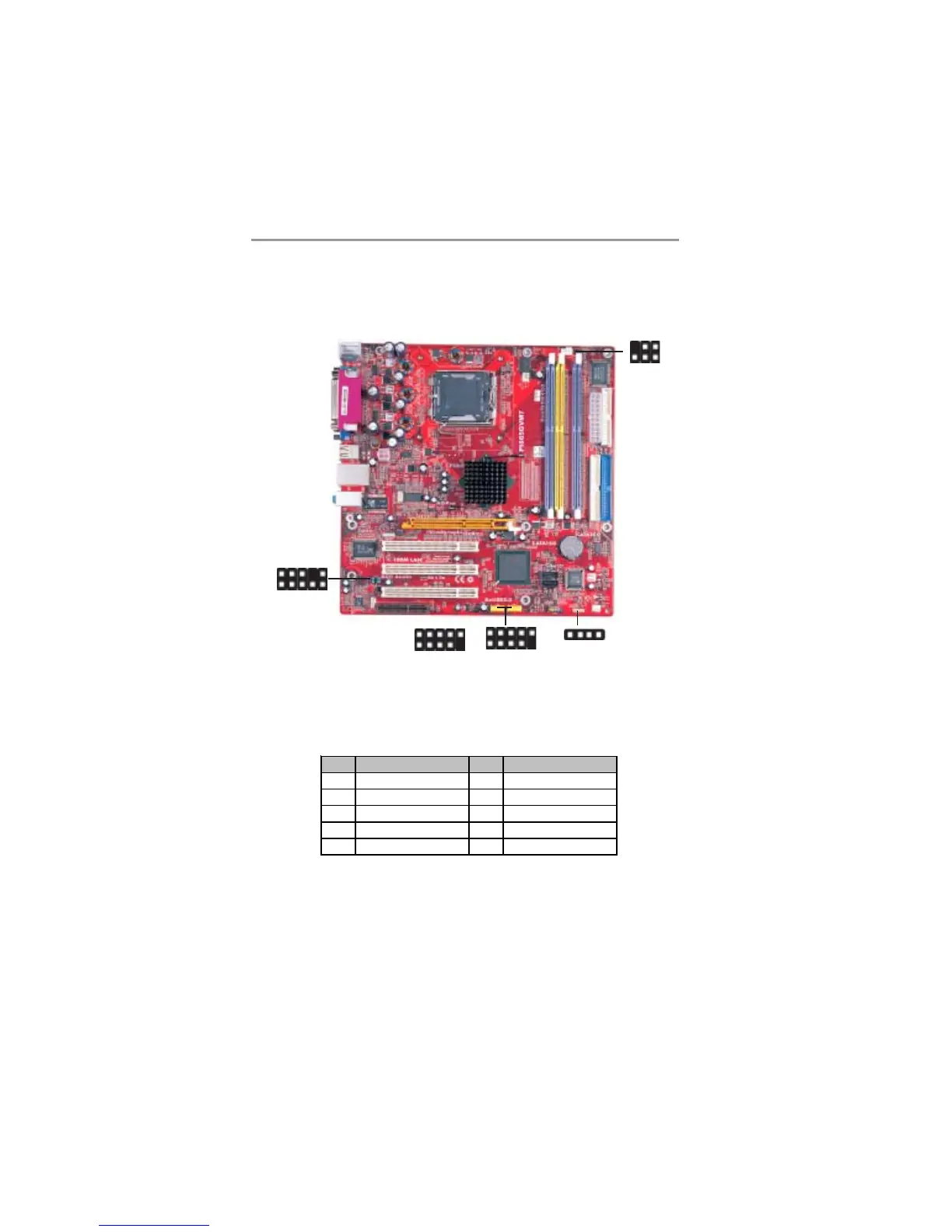
AUDIO2: Front Panel Audio Header
This header allows the user to install auxiliary front-oriented microphone and
line-out ports for easier access.
Pin Signal Pin Signal
1 AUD_MIC 2 AUD_GND
3 AUD_MIC_BIAS 4 AUD_VCC
5 AUD_FPOUT_R 6 AUD_RET_R
7 HP_ON 8 KEY
9 AUD_FPOUT_L 10 AUD_RET_L
USB2/USB3: Front Panel USB Header
The motherboard has USB ports installed on the rear edge I/O port array.
Additionally, some computer cases have USB ports at the front of the case. If
you have this kind of case, use auxiliary USB headers USB2/USB3 to connect
the front-mounted ports to the motherboard.
1
IR1
USB2
1
USB3
1
AUDIO2
1
SPK1
1


 To Next Page
 Loading...