Tachometer Settings ‑ SCREENS
This calibration turns the system screens on and off.
NOTE: Depending on the engine model and vessel options, not all screens will
apply.
1. Press the "MODE/SELECT" and "+" buttons simultaneously for
approximately four seconds or until the "SCREENS" screen appears
2. Press the "+" or "–" to change the settings.
3. Press "MODE/SELECT" to save the setting and advance through the
display screens.
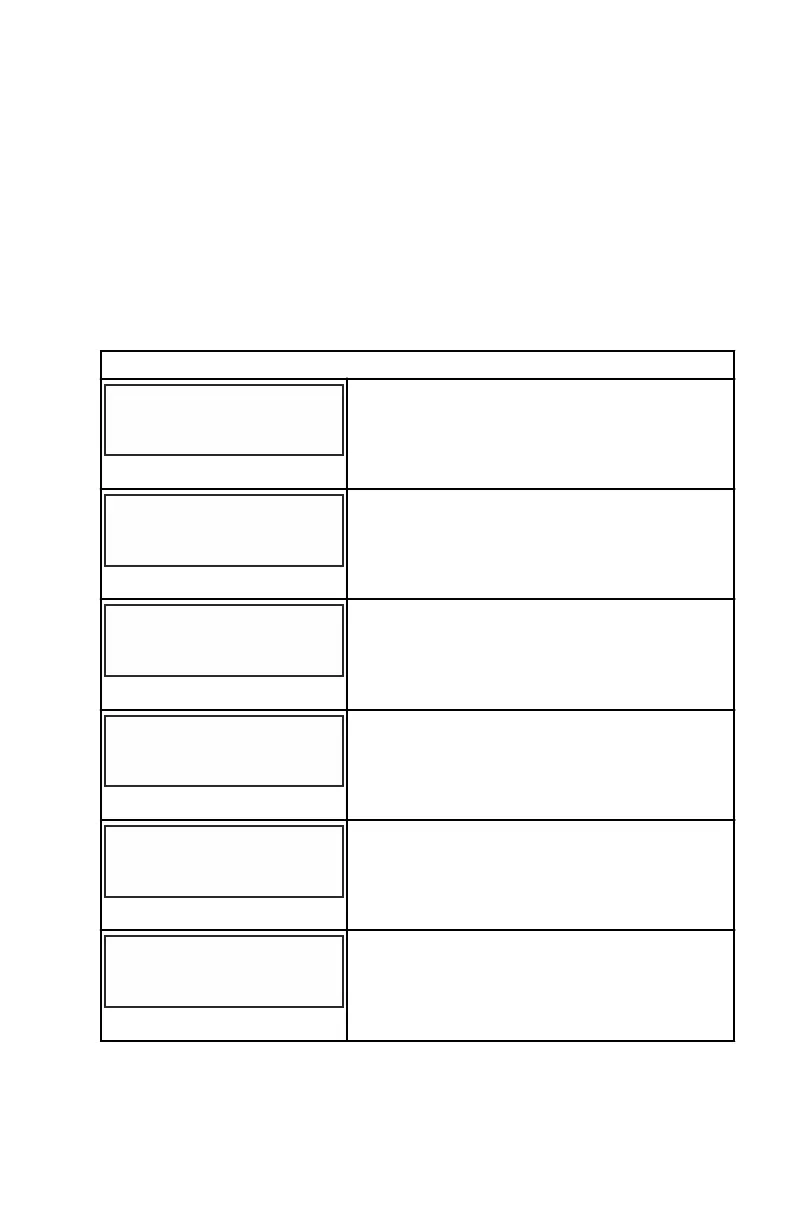
SCREENS
QUICK REF SCREEN ?
[ NO ]
[SAVE] [ YES ]
23978
The quick reference screen is displayed "YES"
for on or "NO" for off.
ENGINE TEMP SCREEN ?
[ NO ]
[SAVE] [ YES ]
23783
The engine temperature screen is displayed
"YES" for on or "NO" for off.
OIL TEMP SCREEN ?
[ NO ]
[SAVE] [ YES ]
23786
The oil temperature screen is displayed "YES"
for on or "NO" for off.
OIL PRESS SCREEN ?
[ NO ]
[SAVE] [ YES ]
23787
The oil pressure screen is displayed "YES" for
on or "NO" for off.
TRIM AND PSI SCREEN ?
[ NO ]
[SAVE] [ YES ]
23788
The split screen showing trim angle and water
pressure is displayed "YES" for on or "NO" for
off.
TRIM AND RPM SCREEN ?
[ NO ]
[SAVE] [ YES ]
23979
The split screen showing trim angle and
engine RPM is displayed "YES" for on or "NO"
for off.
SC 1000 TACHOMETER
eng 17


 To Next Page
 Loading...