12.
Steering Angle: Displays the relative position of the steering system.
Available on Mercury MerCruiser models only. A steering angle sensor
must be installed on the engine.
13.
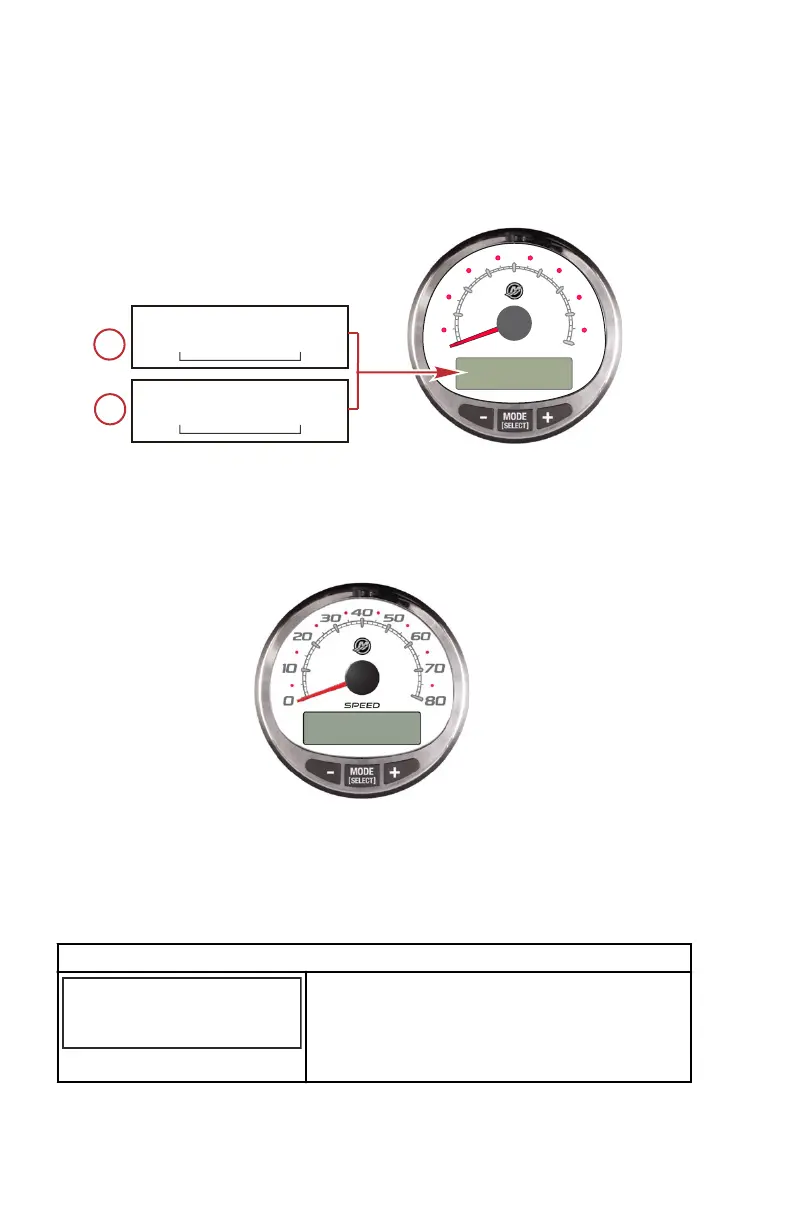
RPM Synchronizer: Dual engines only ‑ Monitors the revolutions of both
engines.
0
SPEED
10
20
30
40
50
60
70
80
46446
RPM SYNCH
STBD
PORT
TRIM SYNCH
STBD
PORT
14.
Trim Synchronizer: Dual engines only ‑ Displays the trim position of both
engines. Simplifies keeping trim levels equal.
Speedometer Settings ‑ MENU
SPEEDOMETER MENU
1. Press the "MODE/SELECT" and "+" buttons simultaneously for
approximately two seconds or until the "MENU" screen appears.
2. Press the "+" or "–" to change the settings.
MENU
[SKIP] [ EDIT ]
MENU
SPEED CONTROL ?
67187
Selects how speed should be controlled. Press
"+" to select "EDIT" or "MODE/SELECT" to
bypass speed control.
SC 1000 SPEEDOMETER
28 eng


 To Next Page
 Loading...