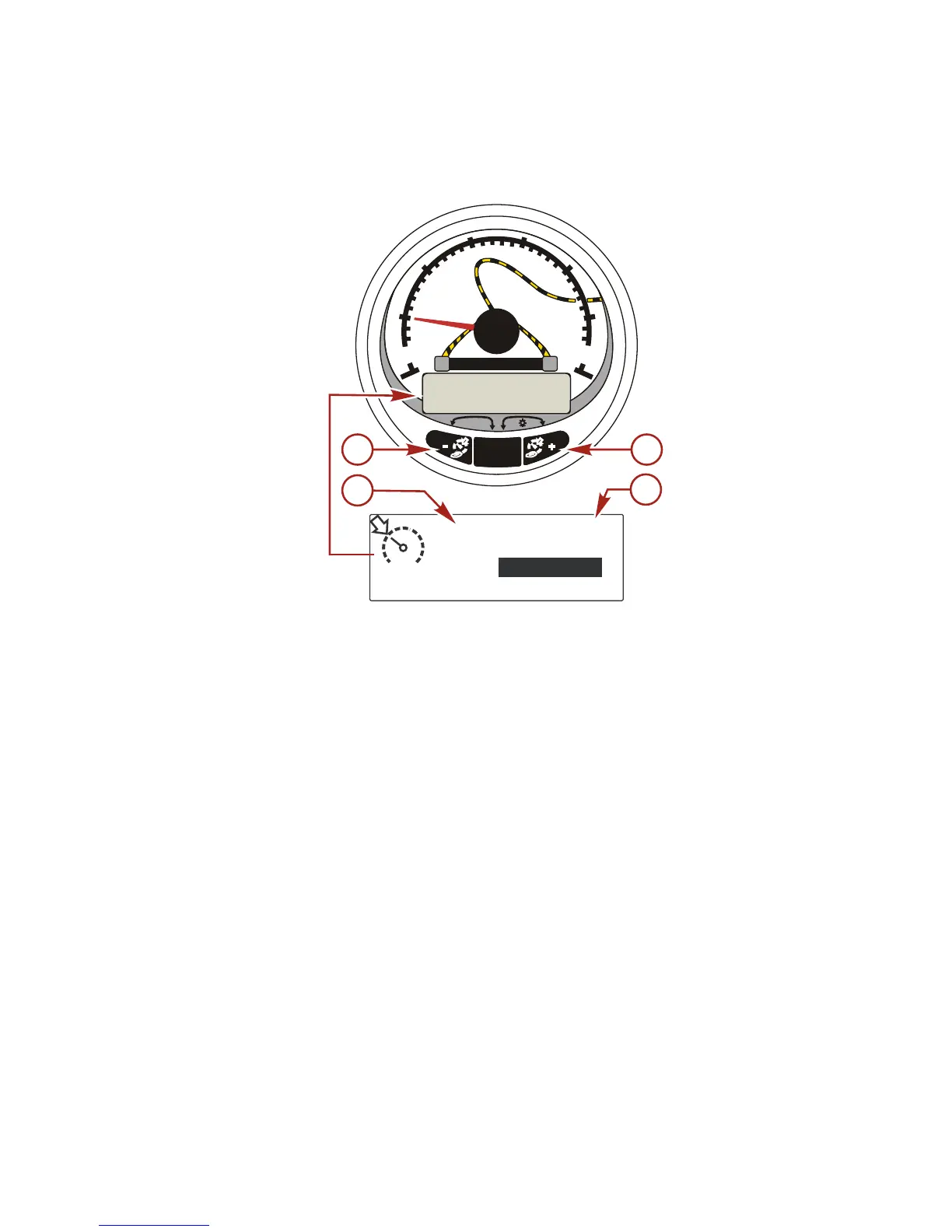
a - Raise launch control setting
b - Lower launch control setting
c - Set cruise RPM
d - Launch control setting
BASIC OPERATION
Launch control determines how fast the engine accelerates to a
set cruise speed.
Set the launch control by using the Smart Tow tachometer. The
settings are 1 through 5, with 1 being the most gradual acceleration
and 5 being the most aggressive. Press "+" to increase launch
control setting and "-" to decrease launch control setting. The
launch control setting will remain until changed.


 To Next Page
 Loading...