EasyManua.ls Logo

Mercusys Halo H30G - User Manual

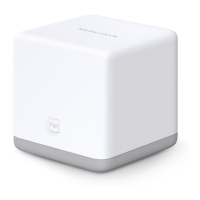
Mercusys Halo H30G
26 pages
Print Icon
To Next Page IconTo Next Page
Loading...
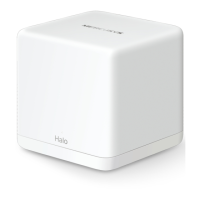
Whole Home Mesh Wi-Fi System
User Guide
AC1300 Whole Home Mesh Wi-Fi System
© 2022 MERCUSYS 1910080075 REV1.0.0
Question and Answer IconNeed help?

Do you have a question about the Mercusys Halo H30G and is the answer not in the manual?

Summary

Appearance Overview

Set Up Your Halo

Download and Install MERCUSYS App

Instructions for downloading and installing the MERCUSYS mobile application.

Log In or Sign Up with Mercusys ID

Steps for creating or logging into a Mercusys account.

Connect and Configure Halo Device

Guide for connecting and initial setup of the Halo device.

Add Additional Halo Units

Instructions for adding more Halo units to the mesh network.

Dashboard Overview

App Navigation and Feature Access

Access Router Settings

Access the main router configuration settings.

Add Additional Halo Devices

Instructions for adding more Halo units to the network.

Wi-Fi Settings

Main Network Configuration

Change the network name (SSID) and password for the main network.

Guest Network Setup

Create and configure a separate network for guests.

Blacklist Management

Add Clients to Blacklist

Block specific connected clients from accessing the network.

Add Other Devices to Blacklist

Block devices by entering their MAC address.

Online Update

Update Halo Firmware

Instructions for updating the Halo device's firmware.

Advanced Network Configuration

Address Reservation and Port Forwarding Setup

Reserve IP addresses for devices and set up port forwarding.

Network Services Configuration

IP Address Reservation

Assigns a static IP to specific devices for easier management.

Port Forwarding Rules Setup

Makes local network devices accessible over the internet.

Advanced Wi-Fi and Device Features

Device Operation and Notifications

WPS Connection

Connect Client via WPS

Easily connect a client to the network using WPS.

Parental Controls

Create User Profiles

Set up profiles for family members to manage internet access.

Set Filter Level

Define content filtering rules for user profiles.

Set Time Controls

Limit the time spent online for each user profile.

QoS Settings

Network Managers

Summary

Appearance Overview

Set Up Your Halo

Download and Install MERCUSYS App

Instructions for downloading and installing the MERCUSYS mobile application.

Log In or Sign Up with Mercusys ID

Steps for creating or logging into a Mercusys account.

Connect and Configure Halo Device

Guide for connecting and initial setup of the Halo device.

Add Additional Halo Units

Instructions for adding more Halo units to the mesh network.

Dashboard Overview

App Navigation and Feature Access

Access Router Settings

Access the main router configuration settings.

Add Additional Halo Devices

Instructions for adding more Halo units to the network.

Wi-Fi Settings

Main Network Configuration

Change the network name (SSID) and password for the main network.

Guest Network Setup

Create and configure a separate network for guests.

Blacklist Management

Add Clients to Blacklist

Block specific connected clients from accessing the network.

Add Other Devices to Blacklist

Block devices by entering their MAC address.

Online Update

Update Halo Firmware

Instructions for updating the Halo device's firmware.

Advanced Network Configuration

Address Reservation and Port Forwarding Setup

Reserve IP addresses for devices and set up port forwarding.

Network Services Configuration

IP Address Reservation

Assigns a static IP to specific devices for easier management.

Port Forwarding Rules Setup

Makes local network devices accessible over the internet.

Advanced Wi-Fi and Device Features

Device Operation and Notifications

WPS Connection

Connect Client via WPS

Easily connect a client to the network using WPS.

Parental Controls

Create User Profiles

Set up profiles for family members to manage internet access.

Set Filter Level

Define content filtering rules for user profiles.

Set Time Controls

Limit the time spent online for each user profile.

QoS Settings

Network Managers

Mercusys Halo H30G Specifications

General IconGeneral
Mesh TechnologyYes
MU-MIMOYes
Frequency BandDual-band (2.4 GHz & 5 GHz)
Wireless SecurityWPA3
Dimensions88 x 88 x 88 mm per unit
Ports3 x Gigabit Ethernet ports

Related product manuals