EasyManua.ls Logo

Mercusys AC1200 - User Manual

Mercusys AC1200
67 pages
Print Icon
To Next Page IconTo Next Page
Loading...
User Guide
AC1200 Wireless Dual Band Gigabit Router
AC12G
REV1.0.0
1910080040

Questions and Answers

Mercusys AC1200 Specifications

General IconGeneral
Power Supply9V/0.85A
Wireless StandardsIEEE 802.11ac/n/a 5 GHz, IEEE 802.11n/b/g 2.4 GHz
Frequency2.4 GHz and 5 GHz
Signal Rate300 Mbps at 2.4 GHz, 867 Mbps at 5 GHz
Ports1 x 10/100 Mbps WAN port, 4 x 10/100 Mbps LAN ports
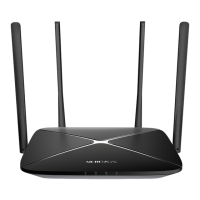
Antenna4 x fixed antennas
ButtonReset
Wireless SecurityWPA/WPA2, WPA-PSK/WPA2-PSK
Dimensions222 x 140 x 32 mm

Summary

Introduction

Product Overview

Provides a general overview of the router's features and capabilities.

Product Appearance

Details the physical layout and components of the router, including front and rear panels.

Connecting the Router

System Requirements

Lists the necessary hardware and software for setting up the router.

Installation Environment Requirements

Specifies optimal conditions and placement for the router installation.

Connecting the Router

Step-by-step guide for establishing the physical network connection.

Quick Installation Guide

Basic Configuration

Device Management

Allows viewing and managing connected and blocked devices on the network.

Network Settings

Configures essential internet connection parameters like PPPoE, Dynamic IP, and Static IP.

Wireless Settings

Manages 2.4GHz and 5GHz wireless network names (SSID) and passwords.

Advanced Configuration

Network Settings

Configure WAN, LAN, IPv6, IPTV, MAC, DHCP, and IP/MAC binding.

Wireless Settings

Configure 2.4GHz and 5GHz host and guest wireless networks.

Network Control

Implement Parental Controls and Access Control for managing network usage.

Advanced User Features

Configure Virtual Server, DMZ, UPnP, Routing, Dynamic DNS, and NAT Boost.

System Tools

Manage router settings like Web Management, Time, Firmware, Backup, Reboot, Password, Diagnostics, and Logs.

Troubleshooting

Password Recovery and Reset

Steps to recover or reset wireless and web management passwords.

Factory Default Restore

Procedures to restore the router to its original factory default settings.

Login Issues

Solutions for problems preventing access to the router's administration interface.

PC Configuration Guide

TCP;IP Component Setup

Guide to configuring TCP/IP settings on a Windows PC for network access.

Related product manuals