EasyManua.ls Logo

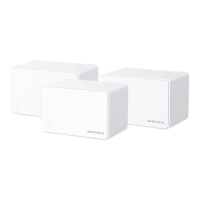
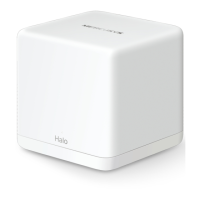
Mercusys Halo S3 - User Manual

Mercusys Halo S3
45 pages
Print Icon
To Next Page IconTo Next Page
Loading...
User Guide
300Mbps Whole Home Mesh Wi-Fi System
Halo S3
REV1.0.0
1910080043

Other manuals for Mercusys Halo S3

Question and Answer IconNeed help?

Do you have a question about the Mercusys Halo S3 and is the answer not in the manual?

Summary

Conventions

Chapter 1 Introduction

Product Overview

Explains Halo S3's unified system for strong Wi-Fi and Mesh Technology.

Product Appearance

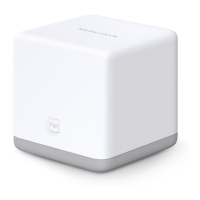
Details the physical appearance of the Halo S3 device, including front panel.

Rear Panel Description

Chapter 2 Connect the Router

Router Placement and Connection

Provides guidelines for router placement and connecting it to the modem and power.

Chapter 3 Quick Installation Guide

Initial Setup and Configuration

Guides users through basic router setup, wireless connection, and creating a login password.

Network Customization and Mesh Expansion

Chapter 4 Configure the Router

Status and Device Management

View WAN status, device status, and manage connected/blocked devices.

Network Settings

WAN Connection Types

LAN Settings

IPTV and MAC Clone Configuration

Wireless Basic Settings

Guest Network and Advanced Wireless

Chapter 5 Advanced Features

DHCP Server Configuration

Configure the device as a DHCP server to provide TCP/IP configuration for LAN PCs.

IP & MAC Binding and Routing

IPv6 Configuration

Parental Controls

Port Forwarding and DMZ

UPnP and Dynamic DNS

System Tools and Management

Firmware, Defaults, Backup & Restore

System Reboot, Password, and Logs

Traffic Statistics

Appendix A FAQ

Troubleshooting Common Issues

Answers to FAQs on login, internet access, and password problems.

Device Management FAQs

Appendix B PC Configuration

Install and Configure TCP;IP

Guide to installing and configuring TCP/IP protocol for PCs in Windows 7.

Summary

Conventions

Chapter 1 Introduction

Product Overview

Explains Halo S3's unified system for strong Wi-Fi and Mesh Technology.

Product Appearance

Details the physical appearance of the Halo S3 device, including front panel.

Rear Panel Description

Chapter 2 Connect the Router

Router Placement and Connection

Provides guidelines for router placement and connecting it to the modem and power.

Chapter 3 Quick Installation Guide

Initial Setup and Configuration

Guides users through basic router setup, wireless connection, and creating a login password.

Network Customization and Mesh Expansion

Chapter 4 Configure the Router

Status and Device Management

View WAN status, device status, and manage connected/blocked devices.

Network Settings

WAN Connection Types

LAN Settings

IPTV and MAC Clone Configuration

Wireless Basic Settings

Guest Network and Advanced Wireless

Chapter 5 Advanced Features

DHCP Server Configuration

Configure the device as a DHCP server to provide TCP/IP configuration for LAN PCs.

IP & MAC Binding and Routing

IPv6 Configuration

Parental Controls

Port Forwarding and DMZ

UPnP and Dynamic DNS

System Tools and Management

Firmware, Defaults, Backup & Restore

System Reboot, Password, and Logs

Traffic Statistics

Appendix A FAQ

Troubleshooting Common Issues

Answers to FAQs on login, internet access, and password problems.

Device Management FAQs

Appendix B PC Configuration

Install and Configure TCP;IP

Guide to installing and configuring TCP/IP protocol for PCs in Windows 7.

Mercusys Halo S3 Specifications

General IconGeneral
Mesh TechnologyYes
MU-MIMOYes
BeamformingYes
Parental ControlsYes
Guest NetworkYes
Frequency Band2.4 GHz, 5 GHz
Wireless SecurityWPA3

Related product manuals