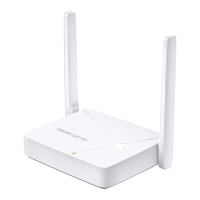
Need help?
Do you have a question about the Mercusys AC12G and is the answer not in the manual?
Explains how to establish an internet connection using the router.
Step-by-step guide for configuring the router in Router Mode for internet access.
Guide on configuring the router to extend an existing wired network wirelessly.
Details the steps to access and log into the router's web management interface.
Covers status, internet types, MAC clone, NAT, LAN, IPTV/VLAN, DHCP, DNS, and routing.
Covers basic wireless settings, guest network, schedule, WPS, additional settings, and WDS.
Implements Firewall, Access Control, IP/MAC Binding, and ALG for network protection.
 General
| DSL WAN | No |
|---|---|
| Ethernet WAN | Yes |
| Product type | Tabletop router |
| Product color | Black |
| Transmit power | 20 dBmW |
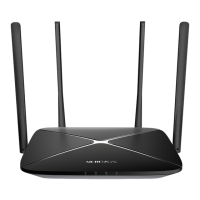
| Antennas quantity | 4 |
| Output current | 0.85 A |
| Output voltage | 9 V |
| Power source type | DC |
| Ethernet LAN data rates | 10, 100, 1000 Mbit/s |
| Ethernet LAN interface type | Gigabit Ethernet |
| Wi-Fi band | Dual-band (2.4 GHz / 5 GHz) |
| Wi-Fi standards | 802.11a, 802.11b, 802.11g, Wi-Fi 4 (802.11n), Wi-Fi 5 (802.11ac) |
| Top Wi-Fi standard | Wi-Fi 5 (802.11ac) |
| WLAN data transfer rate (max) | 1167 Mbit/s |
| WLAN data transfer rate (first band) | 300 Mbit/s |
| WLAN data transfer rate (second band) | 867 Mbit/s |
| Cables included | LAN (RJ-45) |
| Storage temperature (T-T) | -40 - 70 °C |
| Operating temperature (T-T) | 0 - 40 °C |
| Storage relative humidity (H-H) | 5 - 90 % |
| Operating relative humidity (H-H) | 10 - 90 % |
| Security algorithms | WPA-PSK, WPA2-PSK |
| Certification | CE, ROHS |
| Package depth | 288 mm |
| Package width | 382 mm |
| Package height | 66 mm |
| Package weight | 760 g |
| Harmonized System (HS) code | 85176990 |
 Weight and Dimensions
| Depth | 140 mm |
|---|---|
| Width | 222 mm |
| Height | 32 mm |

 To Next Page