65
Chapter 5
5.9 LED Control
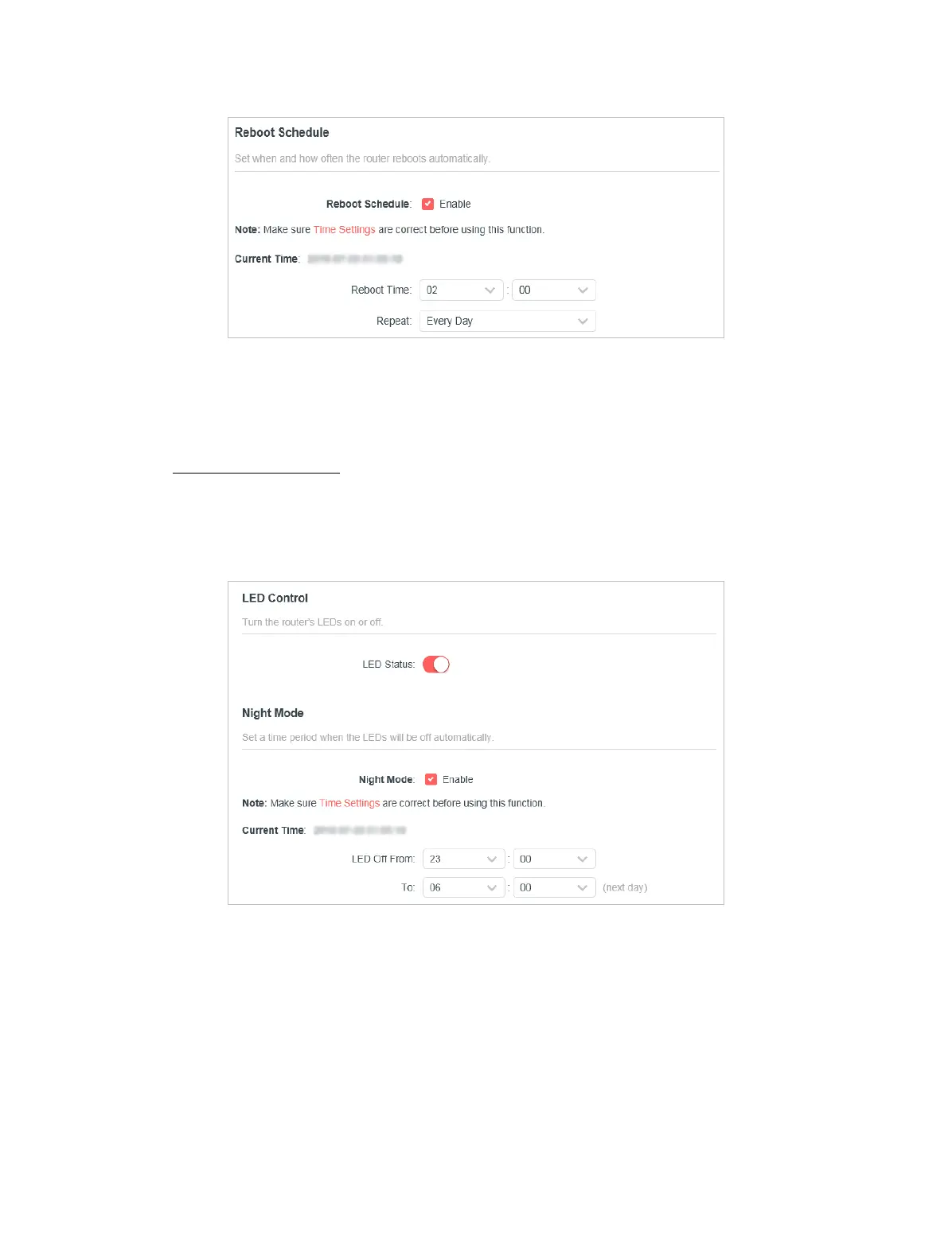
The LED of the router indicates its activities and status. You can enable the Night
Mode feature to specify a time period during which the LED is o.
1. Visit http://mwlogin.net, and log in with the password you set for the router.
2. Go to System > LED Control.
3. Enable Night Mode.
4. Specify the LED o time, and the LED will be o during this period every day.
Note: The eective LED o time is based on the time of the router. You can go to Advanced > System > Time to modify the
time.
5. Click SAVE.


 To Next Page