25
Chapter 4 Congure the Router in Wireless Router Mode
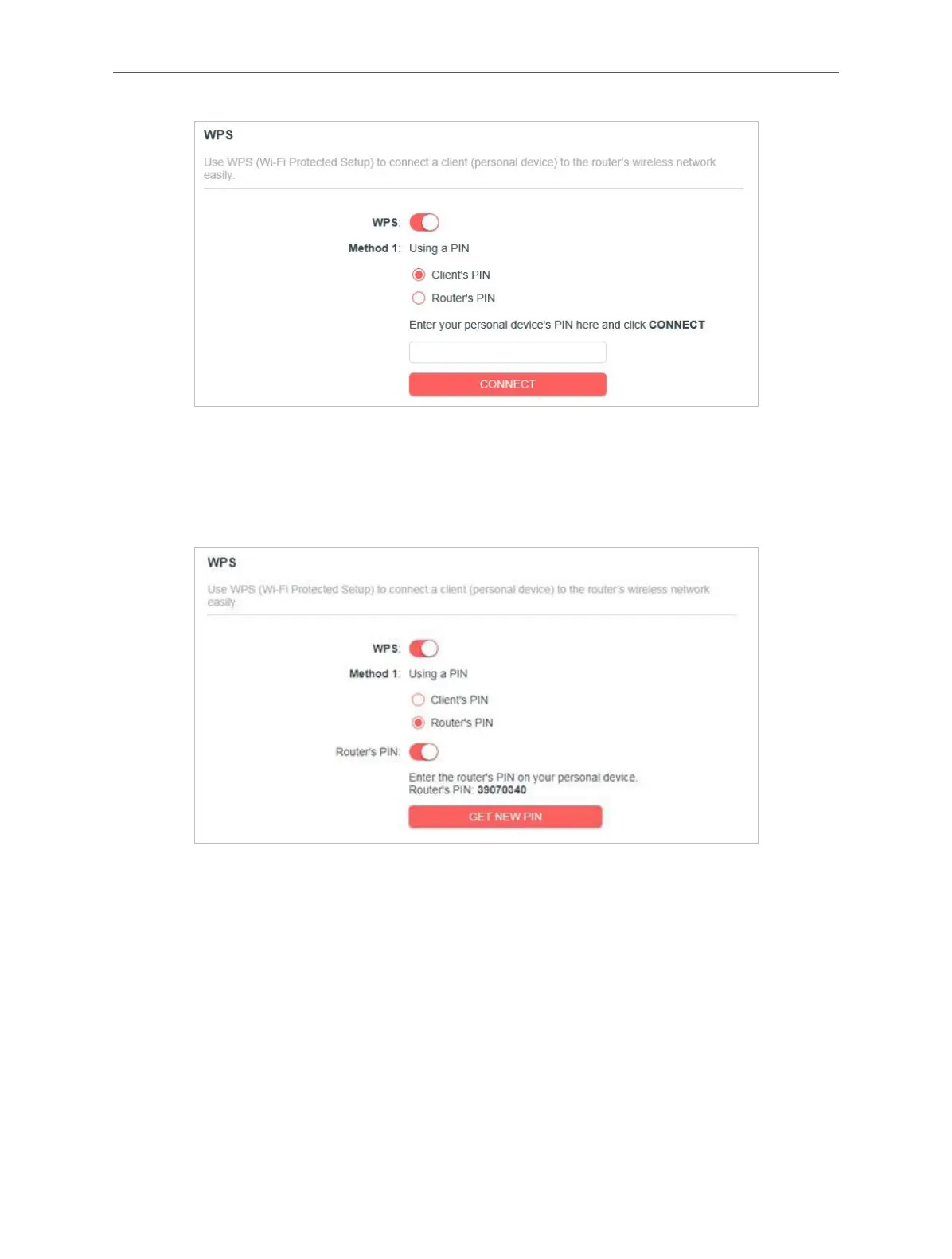
2. Enter the PIN of your device and click CONNECT. Then your device will get connected to
the router.
• Connects via the Router’s PIN
1. Keep the WPS Status as Enabled and select Router’s PIN.
2. Enter the router’s PIN on your personal device. You can also generate a new one.
Note:
PIN (Personal Identification Number) is an eight-character identification number preset to each router. WPS supported devices
can connect to your router with the PIN.
Method 2: Using the WPS Button on the Web Screen
Click Start on the screen. Within two minutes, enable WPS on your personal device.
A Device-(XX-XX-X X-XX-XX-XX) Connected message should appear on the screen,
indicating successful WPS connection.
Note:
XX-XX-XX-XX-XX-XX is the MAC address of your device.



 To Next Page