Setting up the DSP33 Digital Loudspeaker System
15
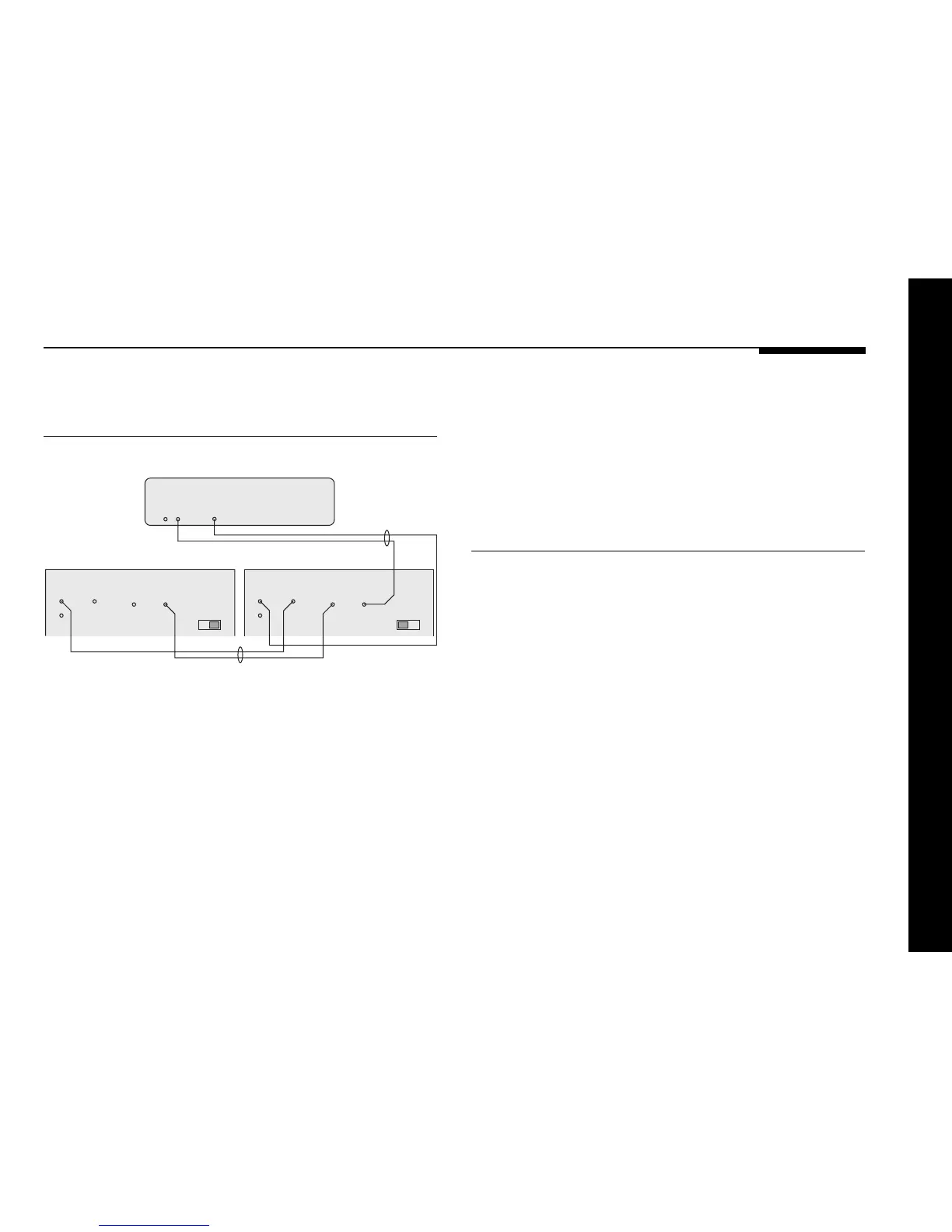
To connect two DSP33 loudspeakers
in a Meridian system
DIGITAL
OUTPUT
COMMS
COMMS
OUTPUT INPUT
DIGITAL
INPUT OUTPUT
2
1
S5 lead
DSP33 – Main R DSP33 – Main L
562V Multimedia Controller
M5 lead
COMMS
OUTPUT INPUT
DIGITAL
INPUT OUTPUT
2
1
CHANNEL CHANNEL
You can connect two DSP33 loudspeakers directly to a Meridian
DVD player, Meridian 568 Digital Surround Processor, Meridian
561 Digital Surround Controller, or Meridian 562V Multimedia
Controller.
● Connect one of the COMMS sockets on the Meridian source
or control unit, and the MAIN digital output, to one of the
digital speakers using the M5 lead supplied.
● Link the two digital speakers together using the S5 lead
supplied, as shown in the illustration.
● Set the CHANNEL switch to the appropriate position on each
loudspeaker.
To use a DSP33 loudspeaker as a
centre speaker
You can use a single DSP33 as a centre speaker in a Meridian
surround system.
● Connect the speaker to the CENTRE digital output using an
M5 lead, as shown in the previous illustration.
● Set the CHANNEL switch on the back of the loudspeaker to
the LEFT/CENTRE position.
Connecting the digital loudspeakers



 To Next Page