Configuring the DSP33 loudspeakers using a computer
25
Button Option Function
New Creates a new settings file.
Open Opens an existing settings file.
Save Saves the current settings file to
disk.
Fetch Fetches the current configuration
of the attached product.
Store Stores the current settings to the
attached product.
Disconnect Disconnects the program from the
attached product.
Add Product Adds a product to the current
settings.
Copy Copies text or settings onto the
clipboard.
Paste Pastes text or settings from the
clipboard.
About Displays program information.
Running the Meridian Configuration program
To run the Meridian Configuration
program
● Click Start, point at Programs, Meridian then click Product
Configuration.
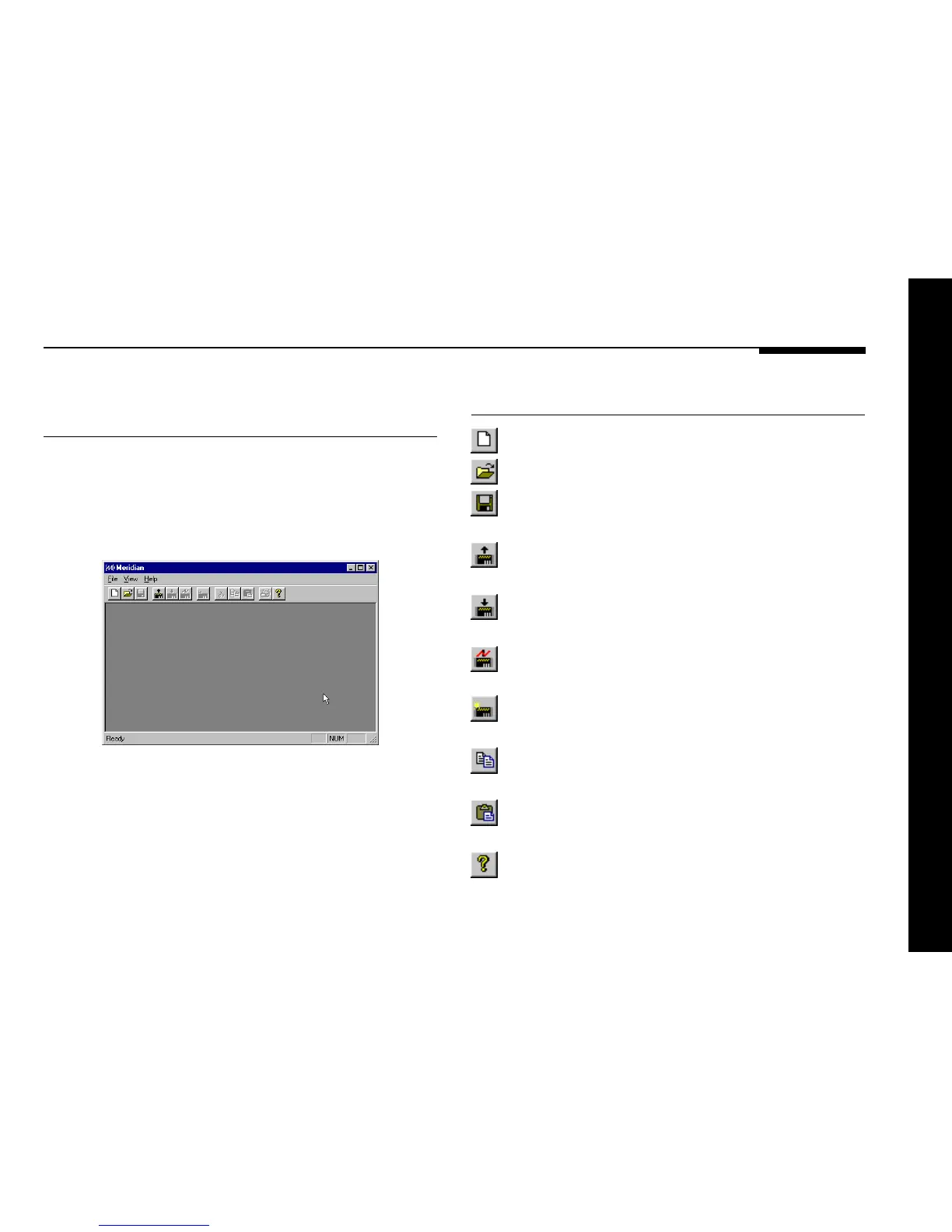
The Meridian window will be displayed:
The toolbar provides a convenient way of accessing the most
important menu options:



 To Next Page