3
03
- EDITING (EDIT PAGE IN GRAPHIC VIEW)
EDIT PAGE
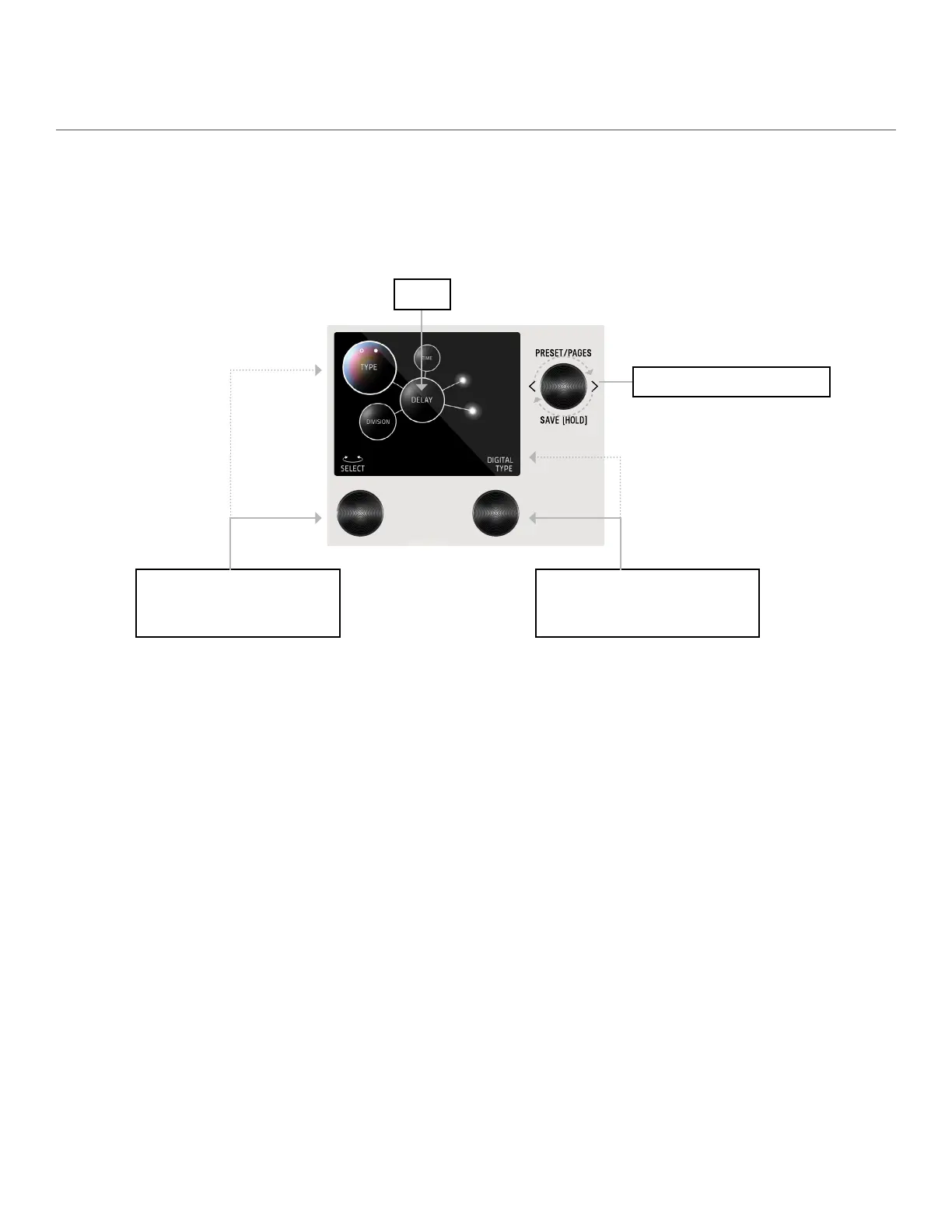
From the PRESET PAGE, push C3 to enter EDIT PAGES. The EDIT PAGE is where you select categories and change parameters
within each preset. The middle bubble is your category. Turn C3 to cycle through categories. Turn C1 knob to carousel through the
parameters. The colored bubble is your selected parameter within each category. Turn C2 to edit the selected parameter.
Turn C3 knob to cycle through blocks.
Colored sphere indicates
selected parameter
CONTROLLER 2 (OR C2)
Value of the selected (colored) parameter
(top L sphere). Turn C2 to change value.
CONTROLLER 1 (OR C1)
Turn C1 knob to carousel through the
parameters
Category


 To Next Page