2
02
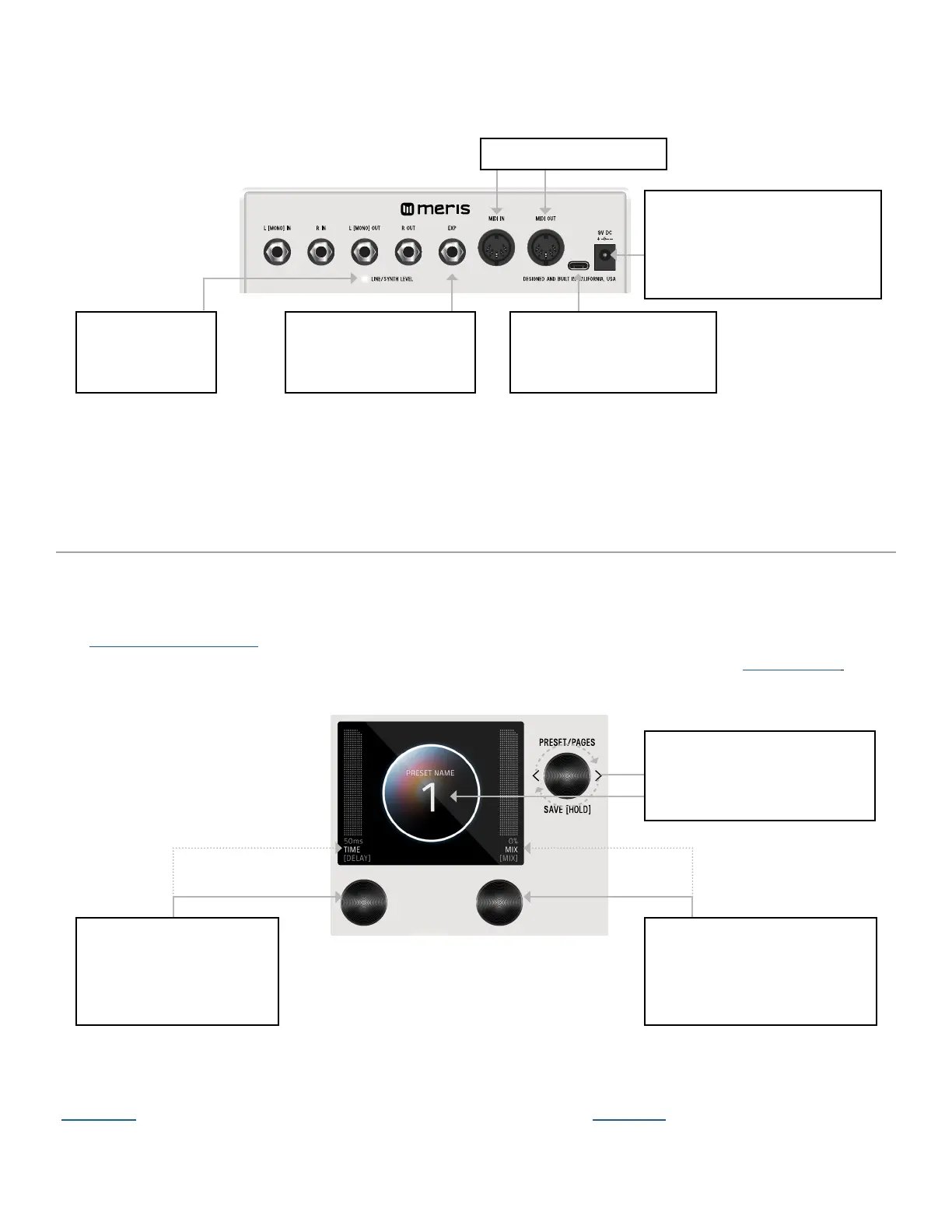
BACK PANEL CONNECTIONS
When you first power up LVX, you will enter the Preset Page. By default, LVX is shipped in “GRAPHIC VIEW”. In GRAPHIC VIEW,
3 knobs are your navigation controllers: C1, C2, C3. The Preset Page consists of a preset bubble that contain the name and num-
ber. 2 FAVORITE PARAMETERS are controlled by C1 and C2 (located directly above the controllers). (You can assign your favorite
parameters per preset, to either the L or R side. Changes of the 2 favorited parameters are located in the SAVE AS PAGE.
Details ahead.
CONTROLLER 2 (OR C2)
Turn C2 knob to edit
favorite parameter assigned
to the R side.
CONTROLLER 3 (OR C3)
Turn knob to navigate thru
1-99 presets (33 banks of 3).
- PRESET PAGE (GRAPHIC VIEW)
POWER SUPPLY
9VDC center-negative power and
at least 300mA of current to the
2.1mm power input required.
USB-C
Used to connect to computer
for firmware updates only.
EXPRESSION PEDAL JACK
realtime control of multiple
parameters simultaneously.
LINE/SYNTH LEVEL
Indicator LED is lit
when enabled.
5 PIN DIN MIDI I/O JACKS
CONTROLLER 1 (OR C1)
Turn C1 knob to edit favorite
parameter assigned
to the L side.
NOTE: GRAPHIC VIEW is designed to focus on 1 block and/or 1 parameter at a time per preset. (You have the option to switch to
“TEXT VIEW” in GLOBALS -> EDIT PAGE. Favorite Parameters are also available in TEXT VIEW.


 To Next Page