17
4.4 Replacement of table base components
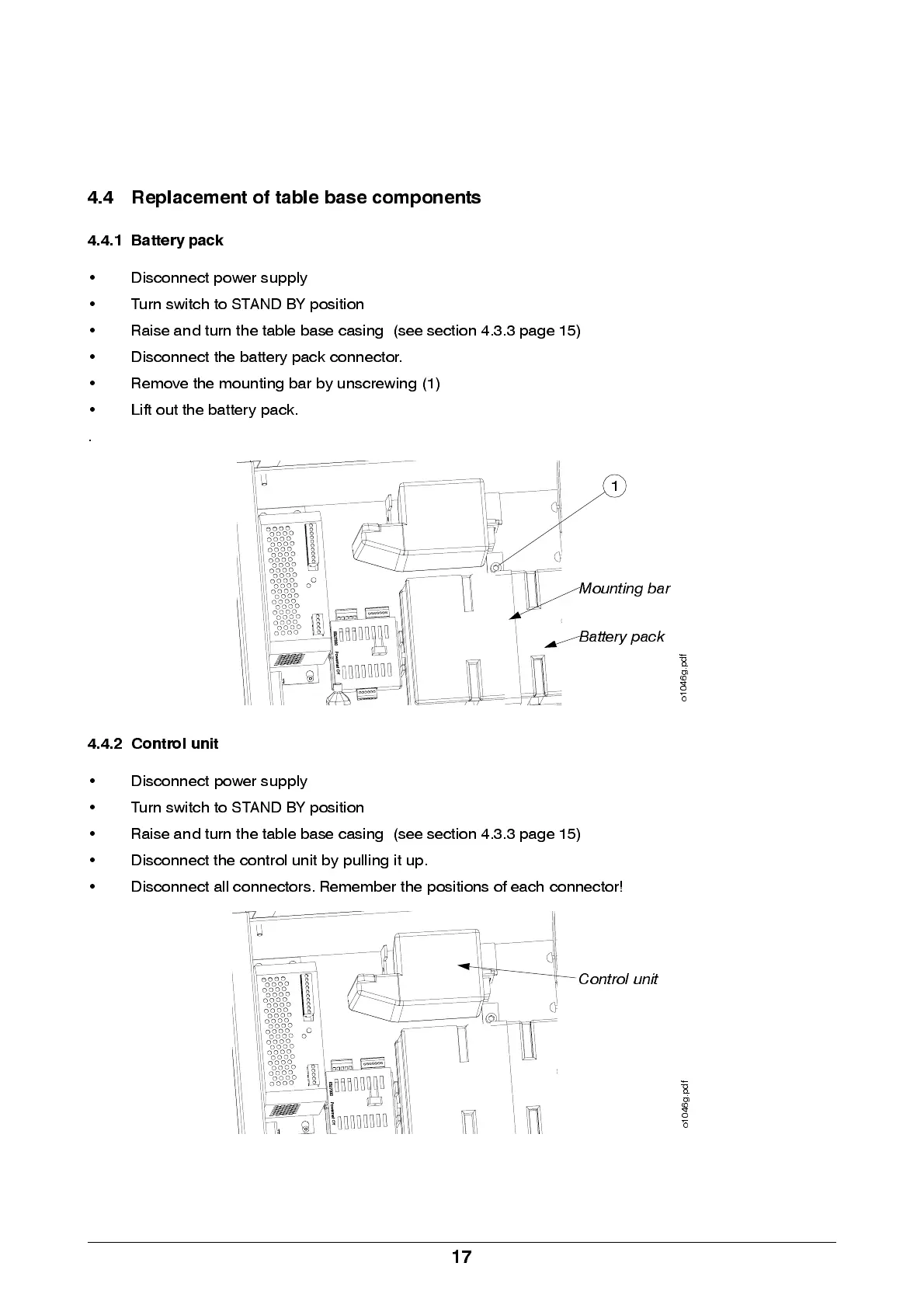
4.4.1 Battery pack
• Disconnect power supply
• Turn switch to STAND BY position
• Raise and turn the table base casing (see section 4.3.3 page 15)
• Disconnect the battery pack connector.
• Remove the mounting bar by unscrewing (1)
• L if t o ut the b att er y p ack.
.
4.4.2 Control unit
• Disconnect power supply
• Turn switch to STAND BY position
• Raise and turn the table base casing (see section 4.3.3 page 15)
• Disconnect the control unit by pulling it up.
• Discon n e ct all conn e ctors. Re m e mb e r the p osi tions of ea ch conn e ctor!
Mounting bar
Battery pack
1
o
1
0
4
6
g
.
p
d
f
Co ntrol unit
o
1
0
4
6
g
.
p
d
f


 To Next Page