05/04
8
F1, F2: relay 1 setup, relay 2 setup
Relays can be individually programmed to either toggle or operate for a period of 1 –180
seconds
a) Simultaneously press INC & DEC to enter programming mode.
b) Press FUN to access the function selection menu.
c) Scroll using INC & DEC to display F1 or F2 (relay 1 or relay 2).
d) Press VAL to confirm. The current parameter value will be displayed, e.g. 0002
e) Select the value to be assigned with the scroll keys. If 0000 is set then the relay
states will toggle (bistable operation). If a value of between 0001 & 0180 is set,
then the relay will be energised for that many seconds (monostable operation)
f) Press VAL to confirm. Display will return to function selection.
g) Repeat steps c) to f) for the other relay, or simultaneously press INC & DEC to
exit programming mode.
F3, F4: Radio channel > Relay 1, 2
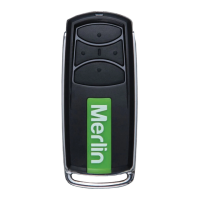
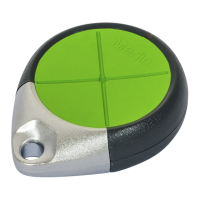
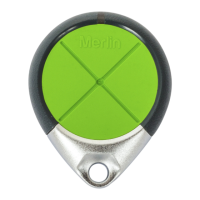
Functions F3 & F4 assign relays 1 and/or 2 to wireless device button 1, 2, 3, or 4. For
example if you assign F3 & F4 to button 1, both outputs will operate simultaneously from
that button.
The default setting assigns button 1 to operate relay 1 (F3) and button 2 to operate relay 2
(F4).
a) Simultaneously press INC & DEC to enter programming mode.
b) Press FUN to access the function selection menu.
c) Scroll using INC & DEC to display either F3 or F4 (relay 1 or relay 2).
d) Press VAL to confirm. The current parameter value will be displayed e.g. _CH1
e) Scroll to select the desired radio transmitter channel, i.e. _CH1, _CH2, _CH3,
_CH4
f) Press VAL to confirm. Display will return to function selection.
g) Repeat steps c) to f) for the other relay, or simultaneously press INC & DEC to
exit programming mode.
F5: Password
Password protection can be set if required. If used, the password will be requested on every
access to the programming mode. The password is set by pressing any 6-key combination
of the 4 coloured keys. This results in 4096 possible passwords.
It is strongly recommended to write down the combination prior to setting. If a password is
forgotten or lost then the M2000PE must be returned to the supplier. Note that all memory
will be cleared and so all card and wireless device assignments will require re-entering.
To enter a password:
a) Simultaneously press INC & DEC to enter programming mode.
b) Press FUN to access the function selection menu.


 To Next Page
 Loading...