eikon e2s Installation and Operating Manual CE 83
Cavity temperature settings and labels
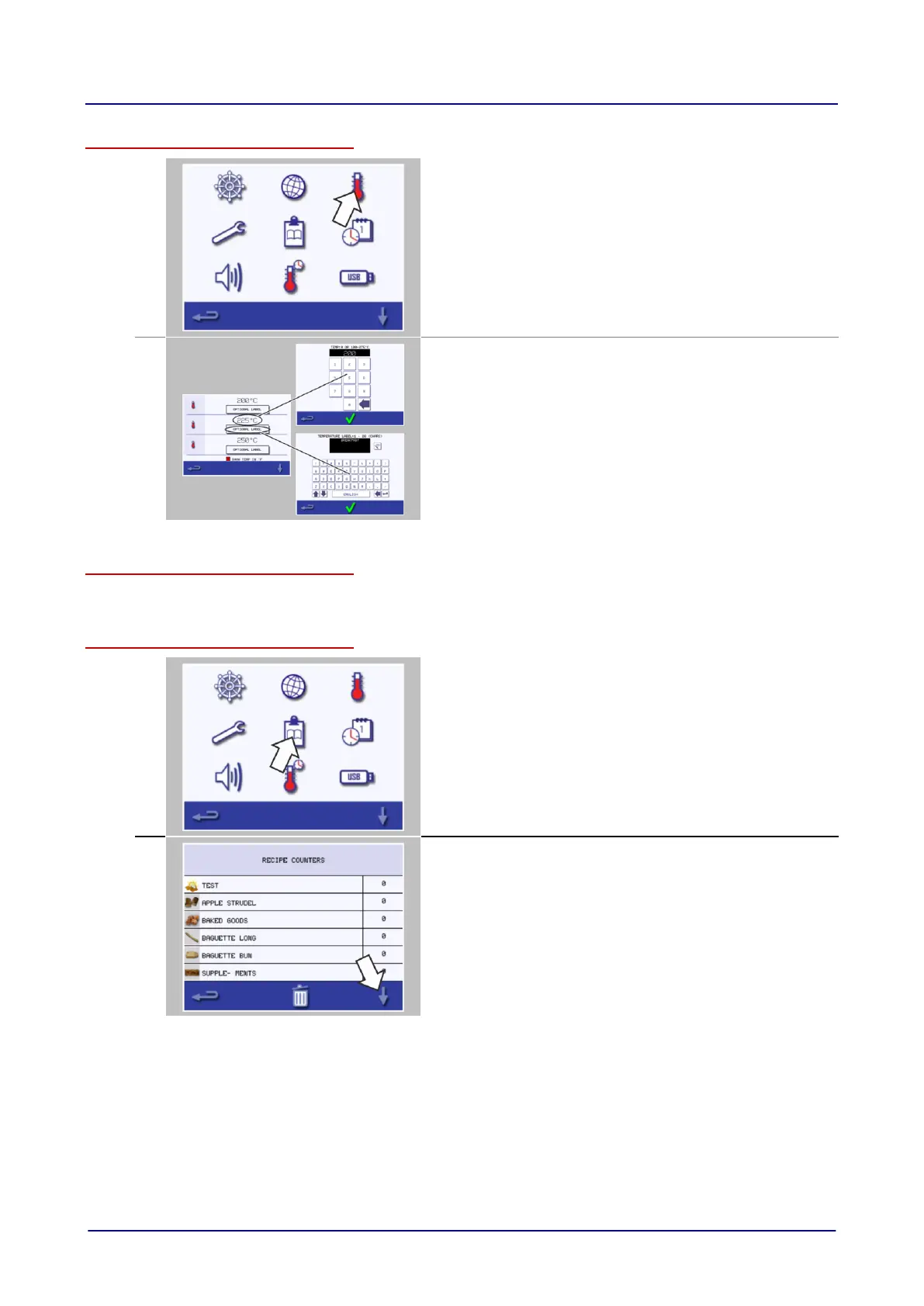
Select the 'temperature' symbol to change the cavity preheat
temperature.
Enter the required temperature on the appearing keypad and
select OK.
The temperature options screen is only displayed at start up
when two or more cavity temperatures are set above minimum.
To change a temperature label, select the label.
Enter the required label name on the appearing keypad and
select OK.
Service information and error logs
For service information and error logs refer to 'Rectifying faults' on page 113.
Cooking profile counters
Select the 'clipboard' symbol to display a listing of cooking profile
counters.
If the list of cooking profile counters is shown, use the up/down
arrows at the bottom of the screen to scroll it.



 To Next Page