19
How to mask individual areas
|
Note: The ARGUS ignores the light-sensitive switch after the load
has been switched on. If the movement detector does not switch
the load off again, the reason is probably that the ARGUS has
detected further movements and has restarted the switching
duration several times.
1 Set the switching duration (Figure ;):
– Left stop: switching duration approx. 1 s
– Right stop: switching duration approx. 8 min
If there are sources of interference in the area of detection of the
ARGUS, e.g. trees, shrubs or light sources, and these accidentally
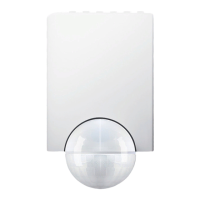
trigger the switching of the load, you can mask these areas using the
segments supplied (Figure _):
1 Place the inserts exactly on those areas of the sensor head (A)
which should be masked from detection, and press them onto the
sensor head (B).
|
Note:The twilight sensor C at the front must not be covered by
segments, since this reduces the light sensitivity.
½
Caution Operation only possible with sinusoidal mains voltages.
Phase control dimmers or inverters with square-wave or trapezoidal
voltage curves will damage the device.
How to mask individual areas
Technical d a t a
Mains voltage: AC 230 V ±10%, 50 Hz.
Fuse the ARGUS using a 16 A
automatic circuit-breaker.
Max. switching current: 16 A, AC 230 V, cos ϕ = 1
Nominal capacity:
Incandescent lamps
AC 230 V:
max. 2000 W
Halogen lamps AC 230 V: max. 1200 W


 To Next Page