95-6518B
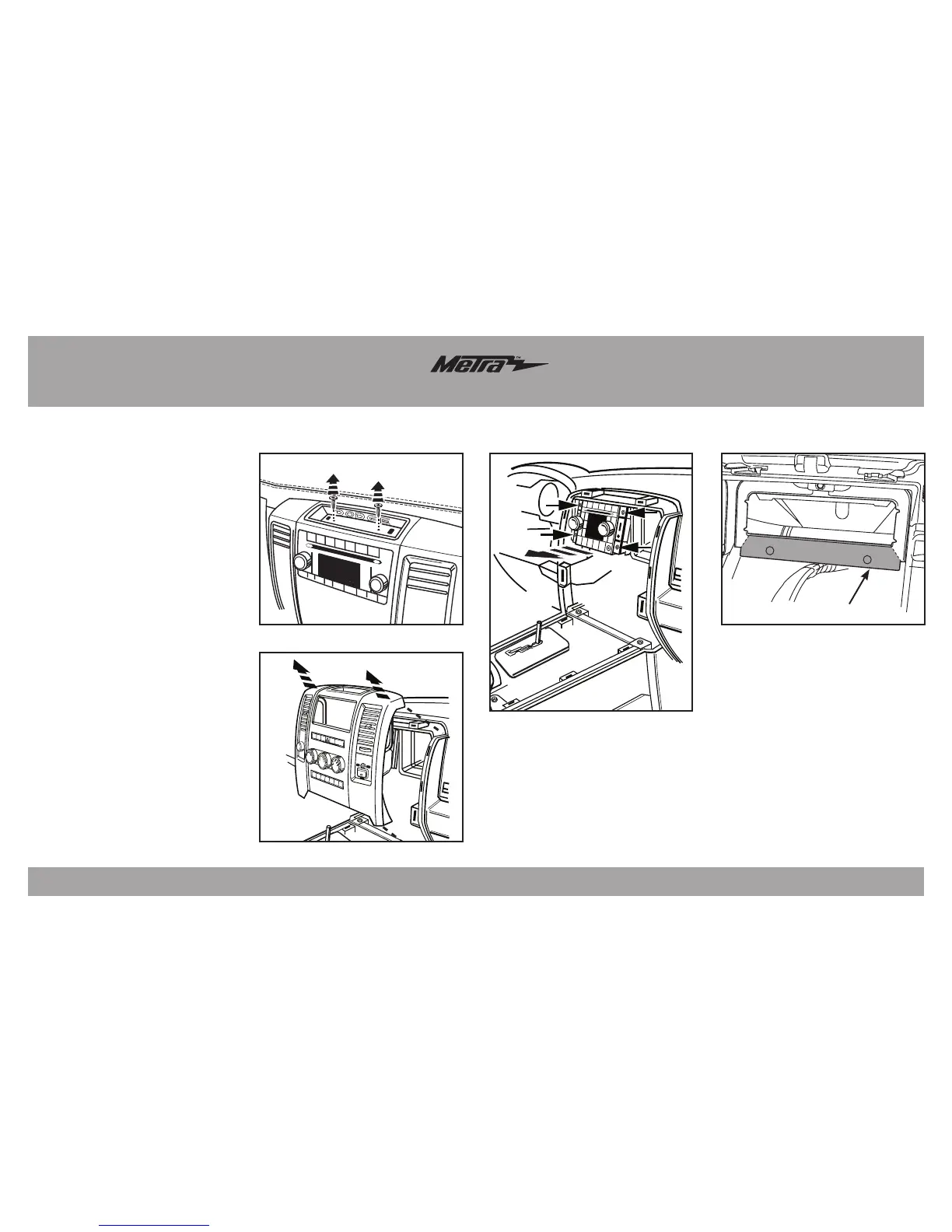
1. Remove liner inside tray at the top
center of the dash and remove two
torx screws. (Figure A)
2. Unsnap and remove radio panel.
(Figure B)
3. Remove four screws and remove
radio. (Figure C)
4. The factory rear support will need
to be cut or removed to allow
space for a new radio. The bottom
section can be removed with
two cuts at the bottom corners.
(FigureD)
Continue to kit assembly
Dash Disassembly
115V AC
150W
(Figure A)
(Figure B)
(Figure C)
(Figure D)
Remove shaded area



 To Next Page