1.800.221.0932
|
MetraOnline.com
2
DASH DISASSEMBLY
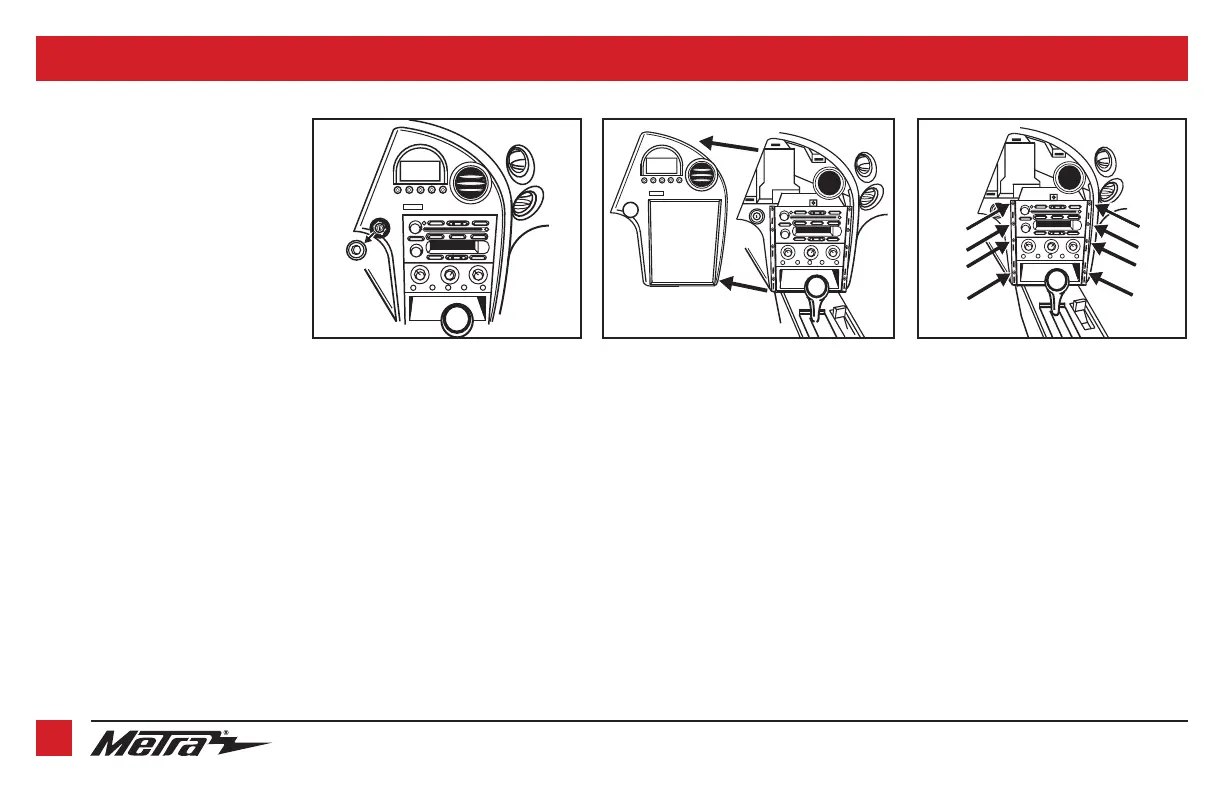
1. Remove the bezel from around the
key cylinder. (Figure A)
2. Unclip and remove the entire panel
surrounding the radio, including
the message center and the vents.
(Figure B)
3. To remove the radio, start at bottom
of the stack and remove (8) 9/32”
screws from the pocket, climate
control, and the radio. (Figure C)
Continue to Kit Assembly
(Figure B)
(Figure C)
(Figure A)



 To Next Page