3
DASH DISASSEMBLY
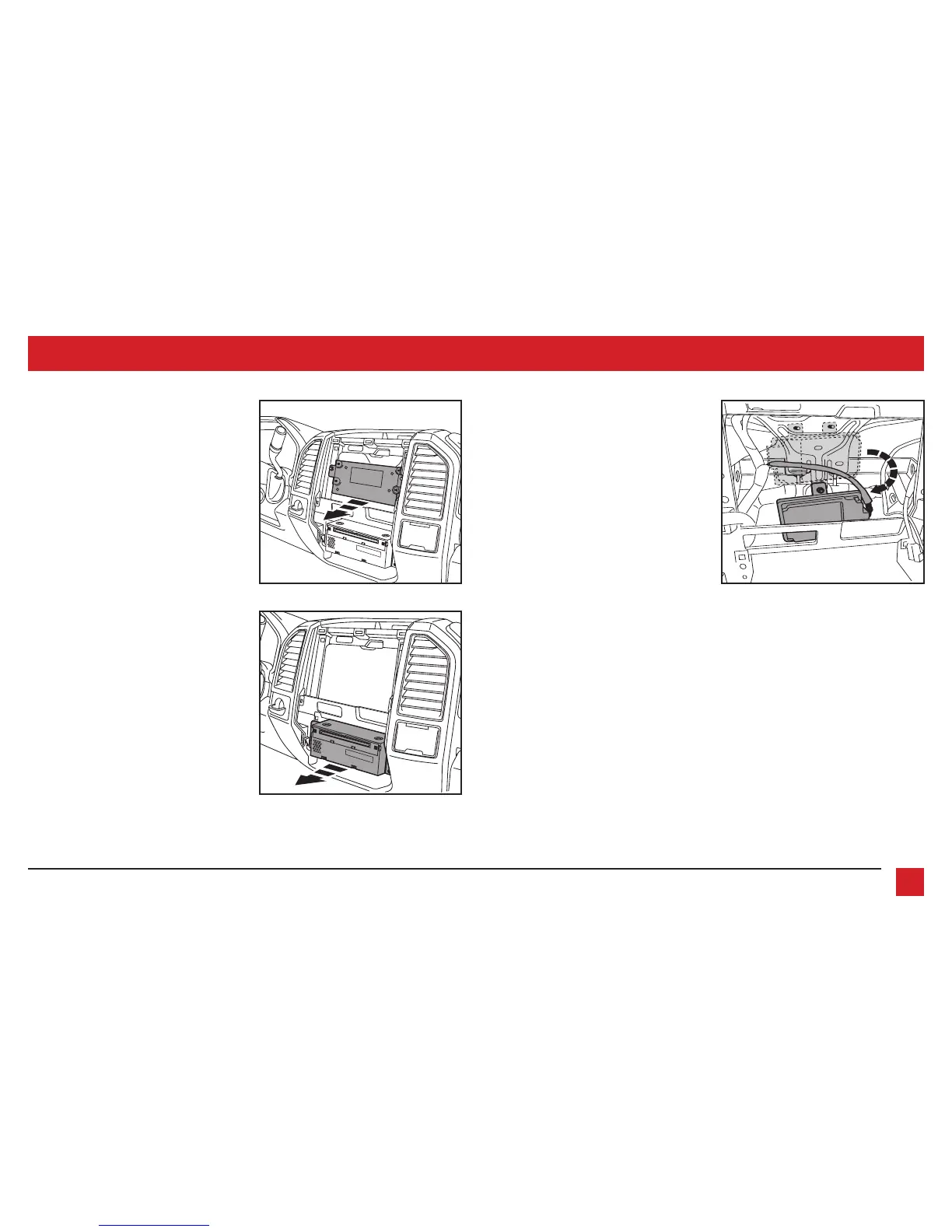
(Figure G)
(Figure H)
(Figure F)
6. For models with a 4.2-inch display
screen and SYNC
®
: Remove the (2) 9/32”
screws securing the SYNC
®
module, then
unplug and remove. (Figure F)
7. Remove the (4) 9/32” screws securing
the radio chassis, then unplug and
remove. (Figure G)
8. For models equipped with a factory
backup camera: Remove the (3) 10mm
nuts securing the camera module, move
the module down onto the lower stud,
and then re-secure using just
(1) 10mm nut. (Figure H)
Continue to Kit Preparation



 To Next Page