13
STEERING WHEEL CONTROL SETTINGS
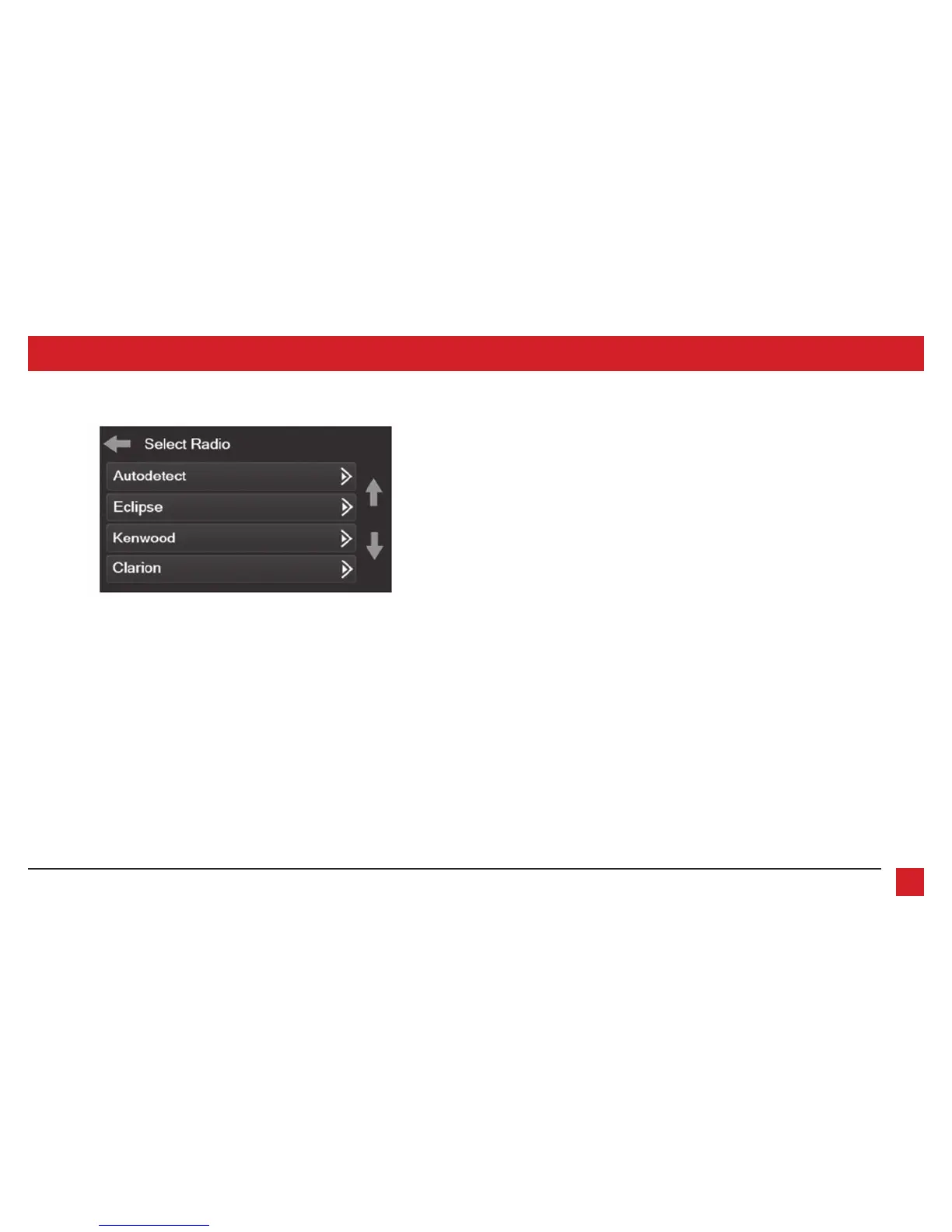
Select Radio screen
* Note:
If the interface shows an Alpine radio, and you do not have an Alpine radio, that means
the interface does not detect a radio connected it, i.e., an open connection. Verify that the
3.5mm jack is connected to the correct steering wheel jack/wire in the radio.
** Note:
The AX-SWC-PARROT is required (sold separately). Also, the Parrot radio must be
updated to rev. 2.1.4.
† Note:
If you have a Clarion radio and the steering wheel controls do not work, change the
radio type to the other Clarion radio type; same for Eclipse.
‡ Note:
If you have a Kenwood radio and the touchscreen display shows a JVC radio, change
the radio type to Kenwood.
Continued on the next page
Eclipse (Type 1) †
Kenwood ‡
Clarion (Type 1) †
Sony / Dual
JVC
Pioneer/Jensen
Alpine *
Visteon
Valor
Clarion (Type 2) †
Metra OE
Eclipse (Type 2) †
LG
• To show which brand radio is “auto detected” to the interface, press the “Autodetect”
button. The radio detected will have a filled in circle. If the incorrect radio is shown, select
the proper radio.
• Following is a list of radio manufacturers that the interface presently acknowledges. Others
may be added at a later date. Universal “2 or 3 wire” radios can show up as any of these
radio manufacturers.
Parrot **
XITE
Philips
JBL



 To Next Page