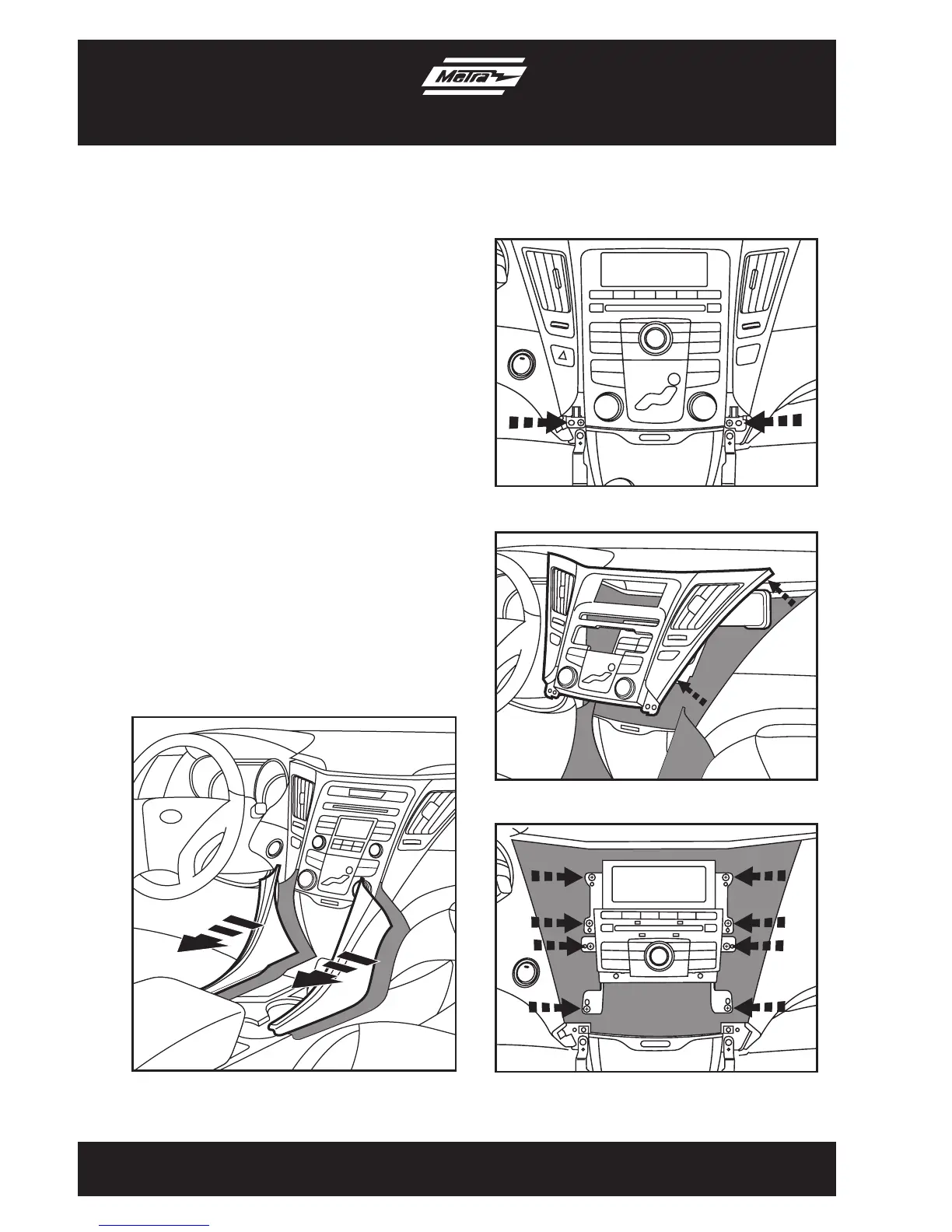
1. Unclipandremovethe2trimpanels
surroundingtheshifterandpocket.
(FigureA)
2. Remove(2)Phillipsscrewsatthe
bottomleftandrightsideoftheradio
trimpanel.(FigureB)
3. Unclipandremovetheradiotrimpanel
includingclimatecontrolandvents.
(FigureC)
4. Remove(4)Phillipsscrewssecuring
theradio.(FigureD)
5. Remove(4)Phillipsscrewssecuring
thedisplaythenremovethefactory
bracketsfromthedisplay.(FigureD)
Continued on next page
3
Dash Disassembly
99-7343
(Figure B)
(Figure C)
(Figure D)
(Figure A)



 To Next Page