6
99-7423 KIT ASSEMBLY
B
C
A
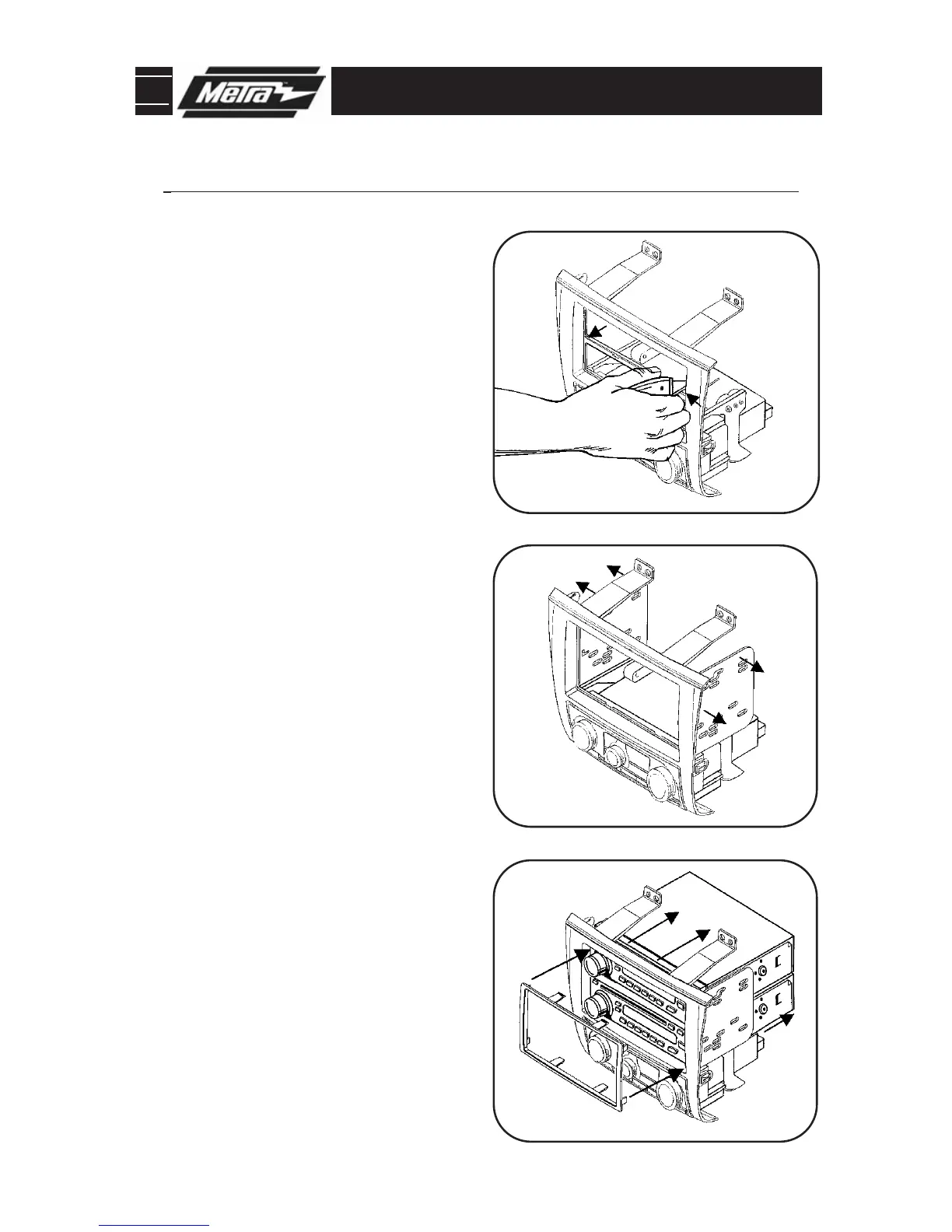
STACKED ISO UNITS PROVISION
Snap the Double DIN brackets to the
inside edge of the radio housing
assembly.
(Figure B)
2
Slide the stacked ISO units into the
bracket/radio housing assembly and
secure the units to the kit using the
screws supplied with the units.
(Figure C)
3
Continue to final assembly.
*Note: Refer also to the instructions included with the aftermarket radio.
1
Cut and remove the center bar from
the radio housing assembly.
(Figure A)
4
Snap the Double DIN trim plate onto
the front of the radio/housing assem-
bly.
(Figure C)



 To Next Page