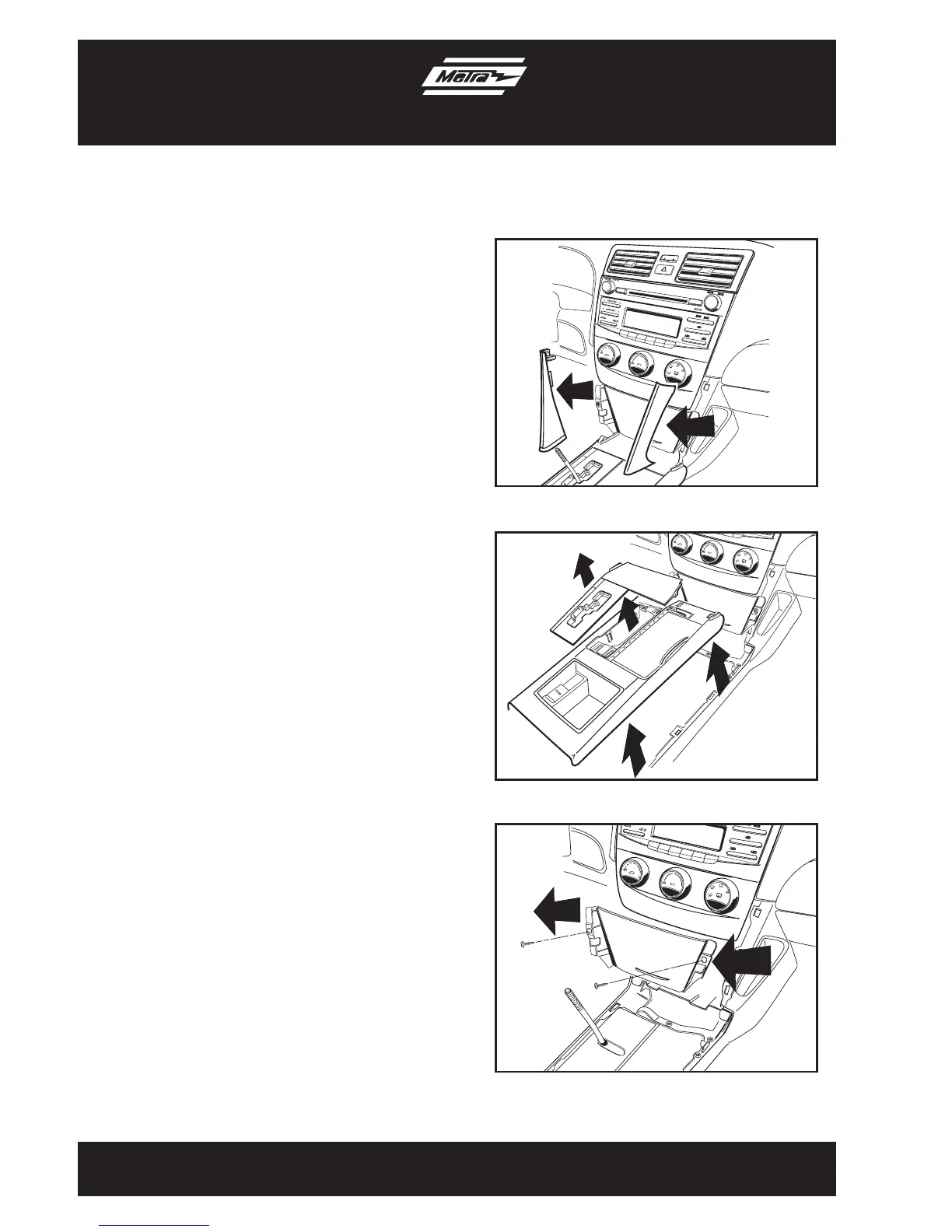
1. Turn the shift knob counterclockwise
to remove.
2. Unclip and remove (1) trim panel from
each side of the pocket below the radio/
climate control assembly. (2 panels
total) (Figure A)
3. Unclip and remove the shift knob trim
panel. (Figure B)
4. Unclip and remove the top of the center
console including the cup holders.
(Figure B)
5. Remove (1) Phillips screw from each
side of pocket below the radio/climate
control assembly (2 screws total).
(Figure C)
6. Unclip and remove the pocket.
(Figure C)
Continued on next page
3
Dash Disassembly
99-8218
1
2
3
4
5
6


 To Next Page