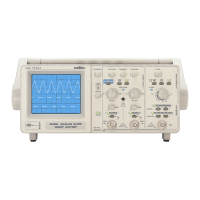
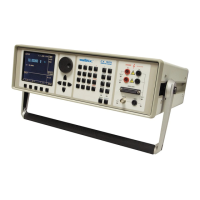
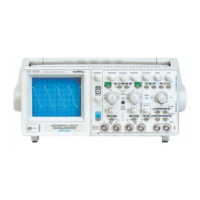
30 MHz-differential oscilloscope
9
3. GETTING STARTED
Respect the safety instructions indicated in Chapter 1.
- Position the rotary controls as indicated in the figure 1.
- Press the POWER key (39): the last memorised configuration of the front panel is
restored.
- Validate the AUTO key (19).
- Adjust : - brightness with the INTENSITY potentiometer (3),
- the thickness of thetraces with the FOCUS potentiometer (1),
- the horizontalness of the traces with the potentiometer to be reached
through the TRACE ROTATION hole (2).
Adjust the brightness of the trace according to ambient lighting. Excessive
brightness can damage the tube, particularly when there is no sweeping in process
(spot stationary).
- Apply the signal to be displayed to channel CH1 or CH2.
- Press on the AUTOSET key (3) .
- When using a 1/10 probe, use the PROBE ADJUST signal (33) (2.5 V, 1 kHz) to adjust
the probe compensation (refer to § 4. APPLICATIONS).
3.1. AUTOSET
• AUTOSET automatically carries out the following searches:
active channel, vertical sensitivity, horizontal deflection coefficient, trigger slope.
• AUTOSET automatically puts the oscilloscope into the following configuration:
synchro PTP, AC coupling of the connected channel, horizontal magnitude x 1,
DC coupling of the trigger source.
• AUTOSET does not affect : POSITION (H and V), VAR, DELAY, INTENSITY.
The AUTOSET function is activated by pressing the AUTOSET/ABORT key (38) (key only
active while pressed):
- The AUTOSET/ABORT LED remains on during the search phase.
- When the search phase ends, if the calibres found by the AUTOSET function are
different from those indicated by the vertical sensitivity and time base switches, the
AUTOSET/ABORT LED flashes.
- There are two ways of quitting the AUTOSET function:
Manual search for the ranges found by AUTOSET:
• You search for the AUTOSET ranges by turning the (4) and/or (10) sensitivity and
(20) time base switches in the direction indicated by the coupling or trigger-source
LED which is flashing.
• The AUTOSET LED goes out when all the ranges determined by the AUTOSET
have been found.
Pressing the AUTOSET/ABORT key (38) again will cancel the AUTOSET function.
Vertical adjustment is not set by the AUTOSET. You should ensure that position (6)
and (11) rotary controls are correctly centred


 To Next Page