Table of figures
■■■■■■■■■■■■■■■■■■■■■■
IV
■■■■■■■■
Optrode
Table of figures
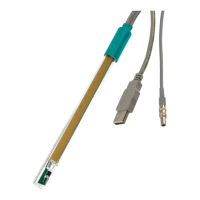
Figure 1 Optrode – Overview .......................................................................... 4
Figure 2 Power supply at the USB connector of a Titrando .............................. 5
Figure 3 Connecting the Optrode to a Titrando ............................................... 5
Figure 4 Power supply at the USB connector of a Ti-Touch .............................. 6
Figure 5 Connecting the Optrode to a Ti-Touch .............................................. 6
Figure 6 Power supply at the USB connector of a Titrino plus .......................... 6
Figure 7 Connecting the Optrode to a Titrino plus ........................................... 7
Figure 8 Diagrams showing propeller stirrer, sensor and titration tip during a
titration. a) clockwise stirring direction, b) counterclockwise stirring
direction. ........................................................................................... 9
Figure 9 Wavelength display of the Optrode ................................................. 10
Figure 10 Switching the LED ........................................................................... 11


 To Next Page