1 for an example of an AOI instance name that does not match the AOI
name but is still valid.
• Q: How do I know the source of the error in the SAI_IND360_FillDose AOI?
A: Typical errors in this AOI include:
o Logic Error: Remember that the SV values must meet the criterion:
HighLimitAlarmSV > HighLimitSV > LowLimitSV > LowLimitAlarmSV.
If this criterion is not met, any execution of a ReadConfig or
WriteConfig will fail until the issue is fixed.
o Fill/Dose PAC is not enabled in the IND360: Using either the local
display or the web interface, access Application > PAC Management in
the IND360 menu system to enable to application.
• Q: An AOI is very close to what I want to do in my PLC logic, but I need to
make a few changes. How can I do that?
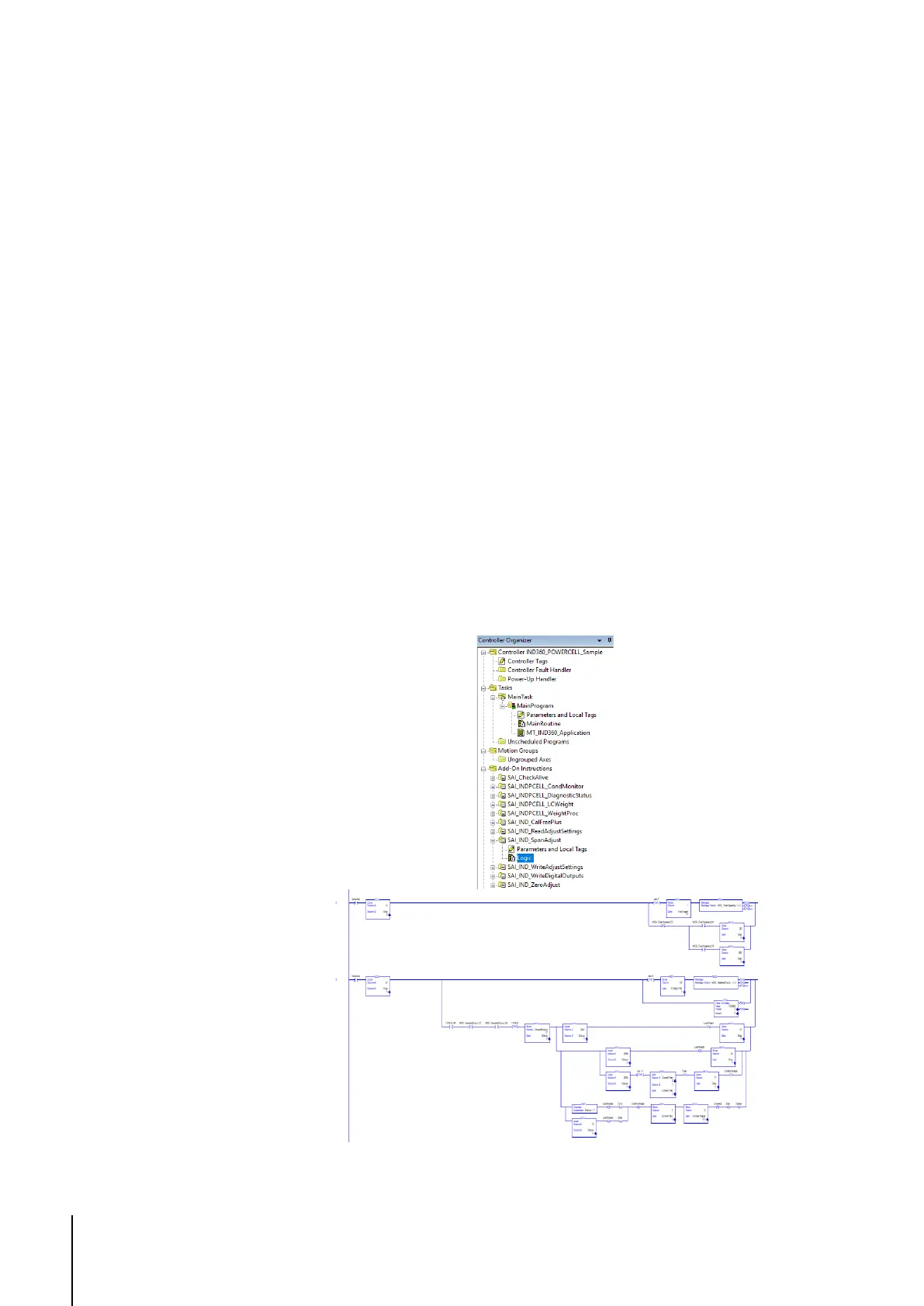
A: If it necessary to view or modify the logic of an AOI, simply use the
Controller Organizer view in Studio 5000. Navigate to Add-On
Instructions, expand the AOI you are interested in viewing, and double-
click Logic. The Organizer view will show the ladder logic used in the
AOI, and the logic can be changed as necessary for your particular
application.
Figure 5-2: Example of AOI ladder logic



 To Next Page