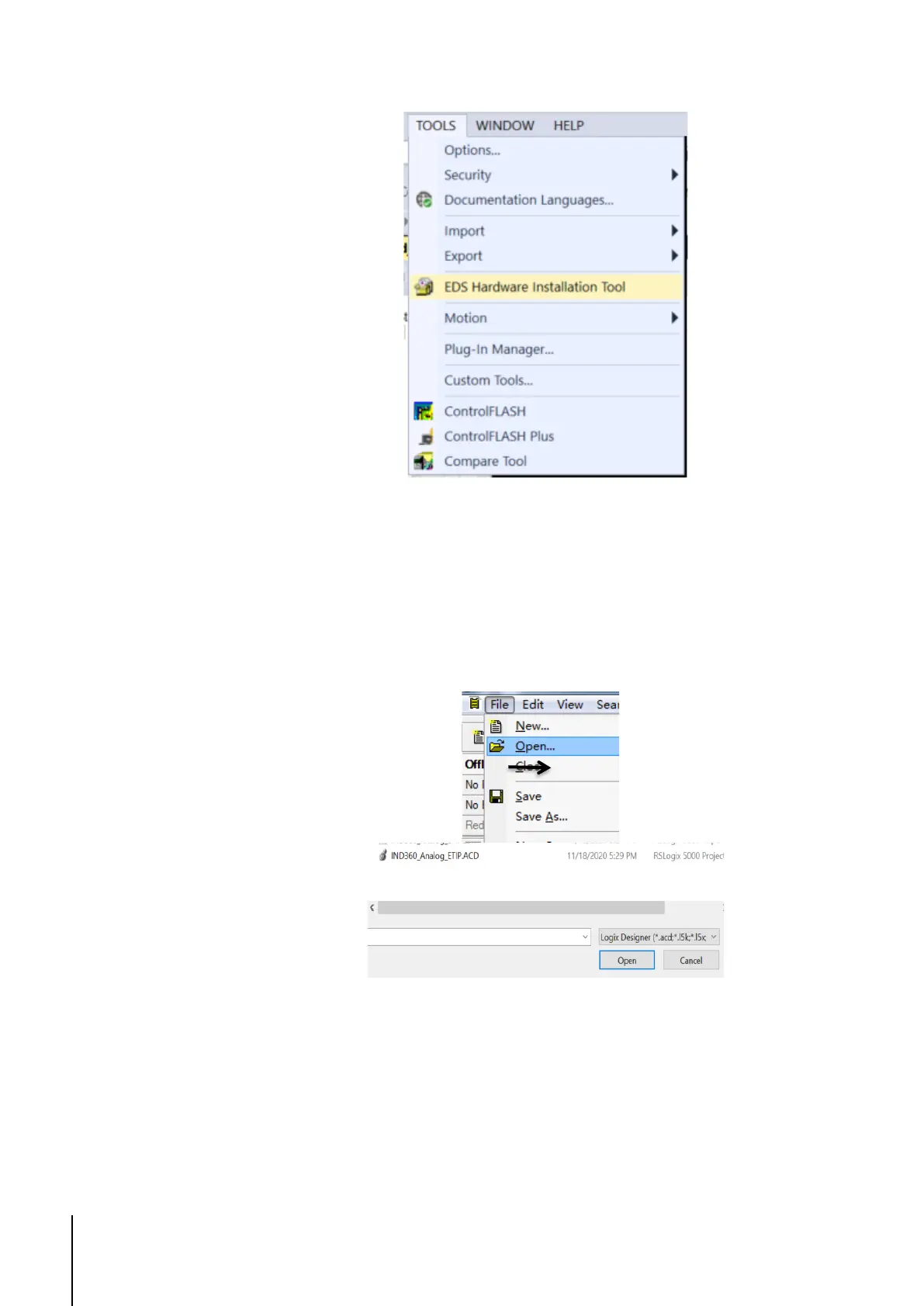
Figure 1-3: Use the EDS Hardware Installation Tool to complete installation
1.2. Import Example as a New Project
To import the examples, Studio5000 V24 or above is required.
1. To import the project to Studio5000, click File-> Open.
2. Select the .ACD file and click open. The project will load.
Figure 1-4: Import Project
1.3. Import an Example to an Existing
Project
1. Add an MT-IND360 to the I/O Configuration in the existing project. See the
first steps of Section 3 for more information on how to complete this. Using
the name IND360 and the IP Address 192.168.0.2 will require no



 To Next Page