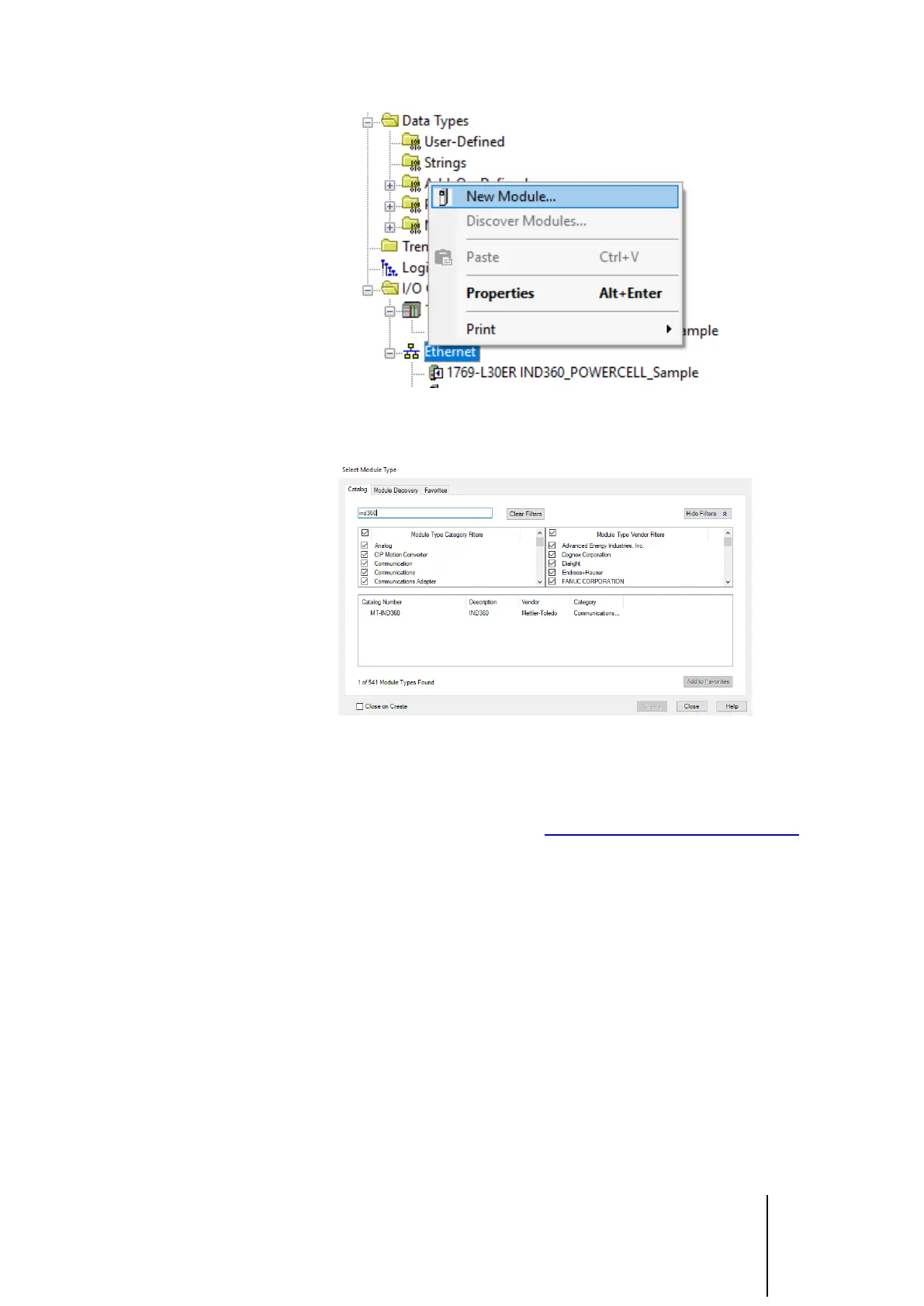
Figure 1-1: Try to add a new module to confirm EDS is installed
3. Search IND360
Figure 1-2: Search for IND360
If the EDS is installed, there should be an option for MT-IND360. If the search
returns no results, follow these steps to install the AOP:
1. Go to the IND360 download page: www.mt.com/ind-IND360-downloads
2. Click the EDS file to begin the download.
3. Once the download is complete, unzip the folder
4. Use the EDS installation tool in Studio5000 to install the EDS.



 To Next Page