6. Make sure something in the existing project calls the MT_IND_Application.
Any AOIs that automatically monitor weight conditions will not run if
nothing calls this routine.
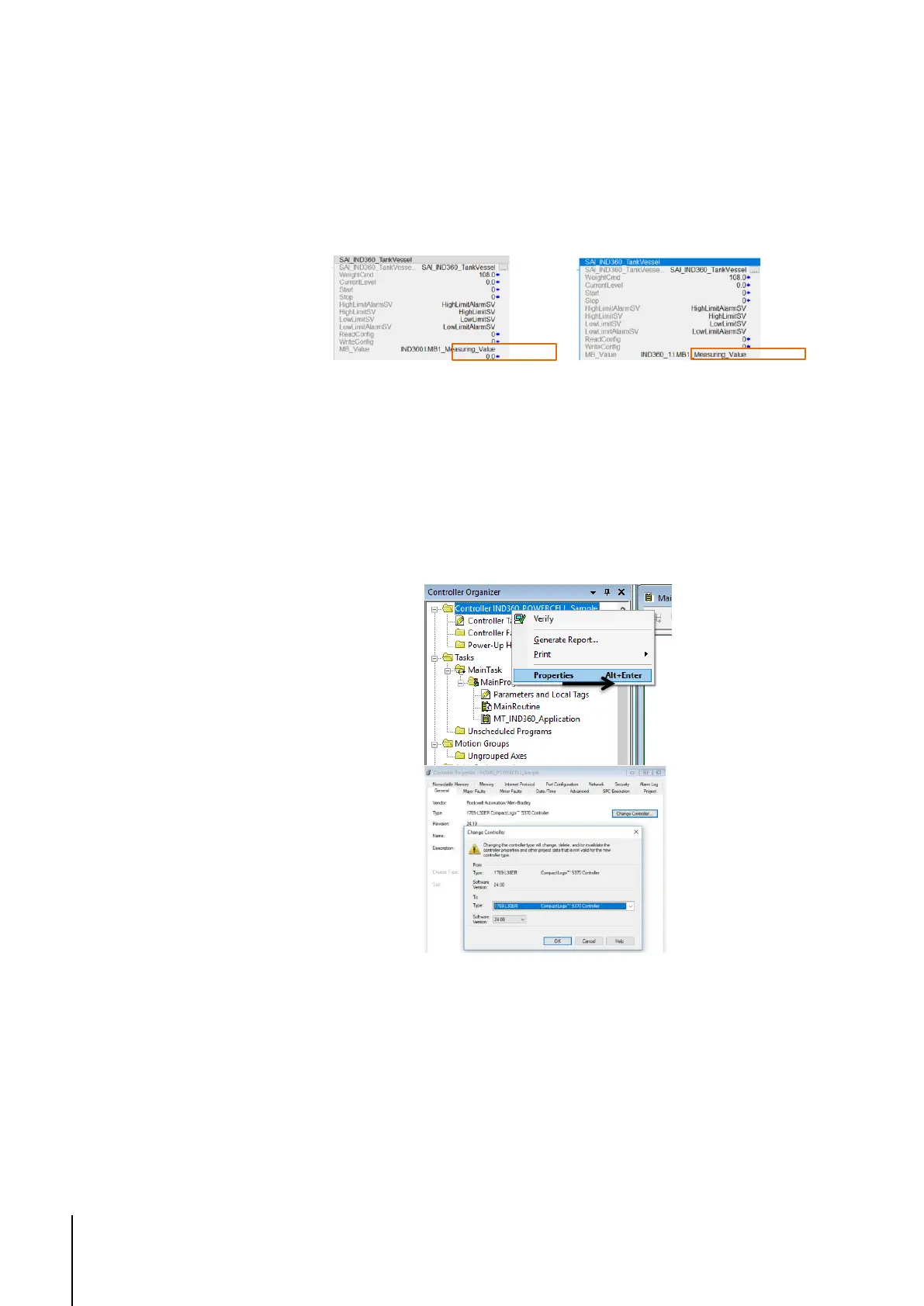
7. If a name other than IND360 was used as the name of the transmitter in
the project, replace every use of IND360 in the AOI instances with the
name given to the transmitter in the project.
Figure 1-10: Example of name "IND360_1" used in project
1.4. Configure Controller Type
Please note that this is only necessary if using the sample code as the basis
for the PLC project. If importing the routine and AOIs into an already existing
project, this is unnecessary.
Right-click the project's controller, select Properties, and set the controller type.
Figure 1-11: Configure controller type
Download the project to the controller and test.



 To Next Page