149
k
7.6 Favorite programme
In flash photography there are always recurring
standard situations (e.g. birthday celebrations at
home, etc.). The ecablitz permits the settings for
such standard situations to be stored as a favorite
programme so that the selected flash parameters
can be instantly reset.
The flash unit has 2 memory locations for saving
the settings made on the flash unit.
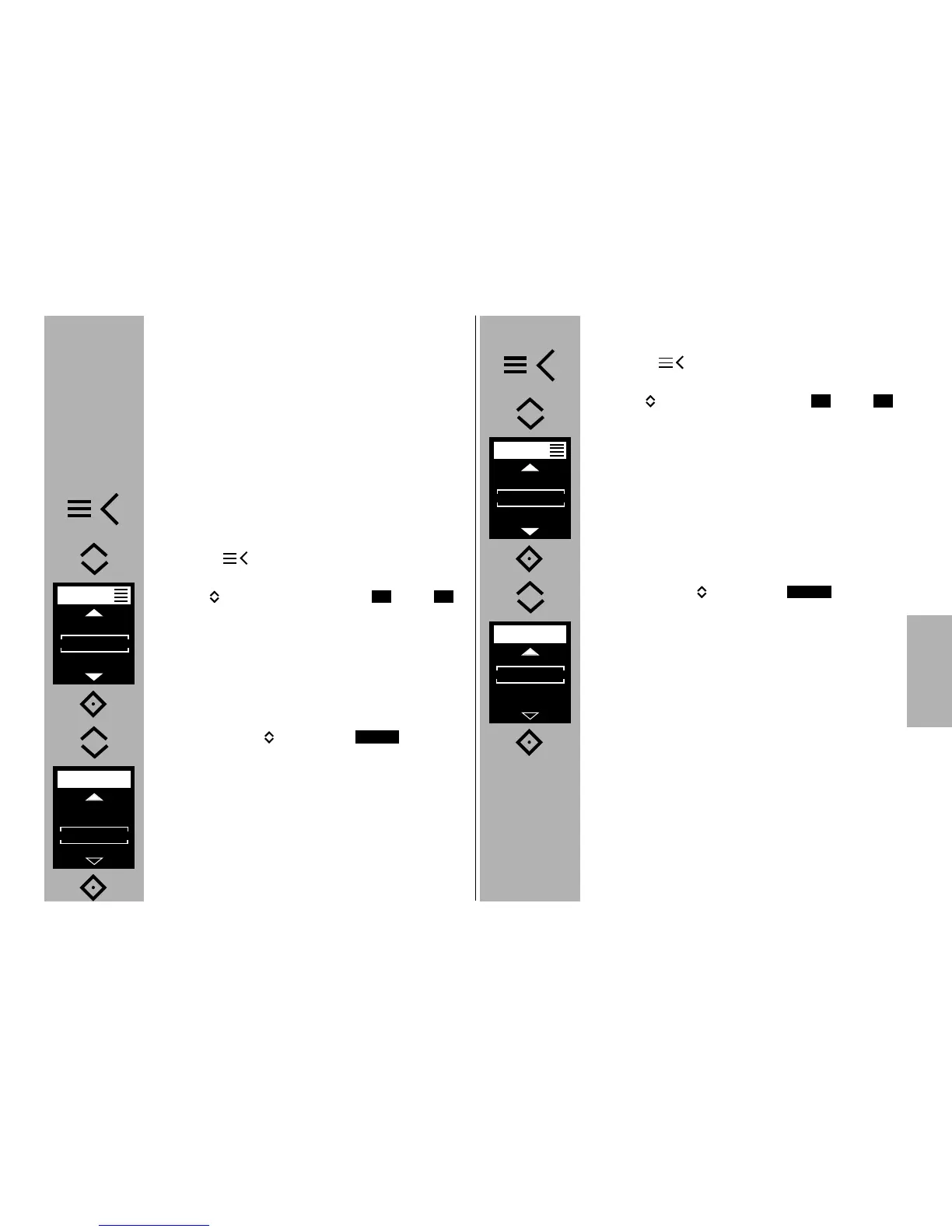
Procedure for saving a favourite programme
• Set the flash unit parameters as desired.
Set the desired operating mode.
Set the options for the desired operating mode.
• Press the button and the drop-down
menu will appear.
• Use the buttons to select the or the
storage locations.
• Press the
° button to confirm the selected sto-
rage location.
• Use the buttons to select .
• Press the
° button to confirm the selected
storage location.
• The o.k sign appears on the display.
F2F1
SAVE
Procedure for loading a favourite programme
• Press the button and the drop-down
menu will appear.
• Use the buttons to select the or the
storage locations.
• Press the
° button to confirm the selected
storage location.
• Use the buttons to select .
• Use the
° button to confirm loading of the
favourite mode.
• The o.k sign appears on the display.
F2F1
LOAD



 To Next Page