46
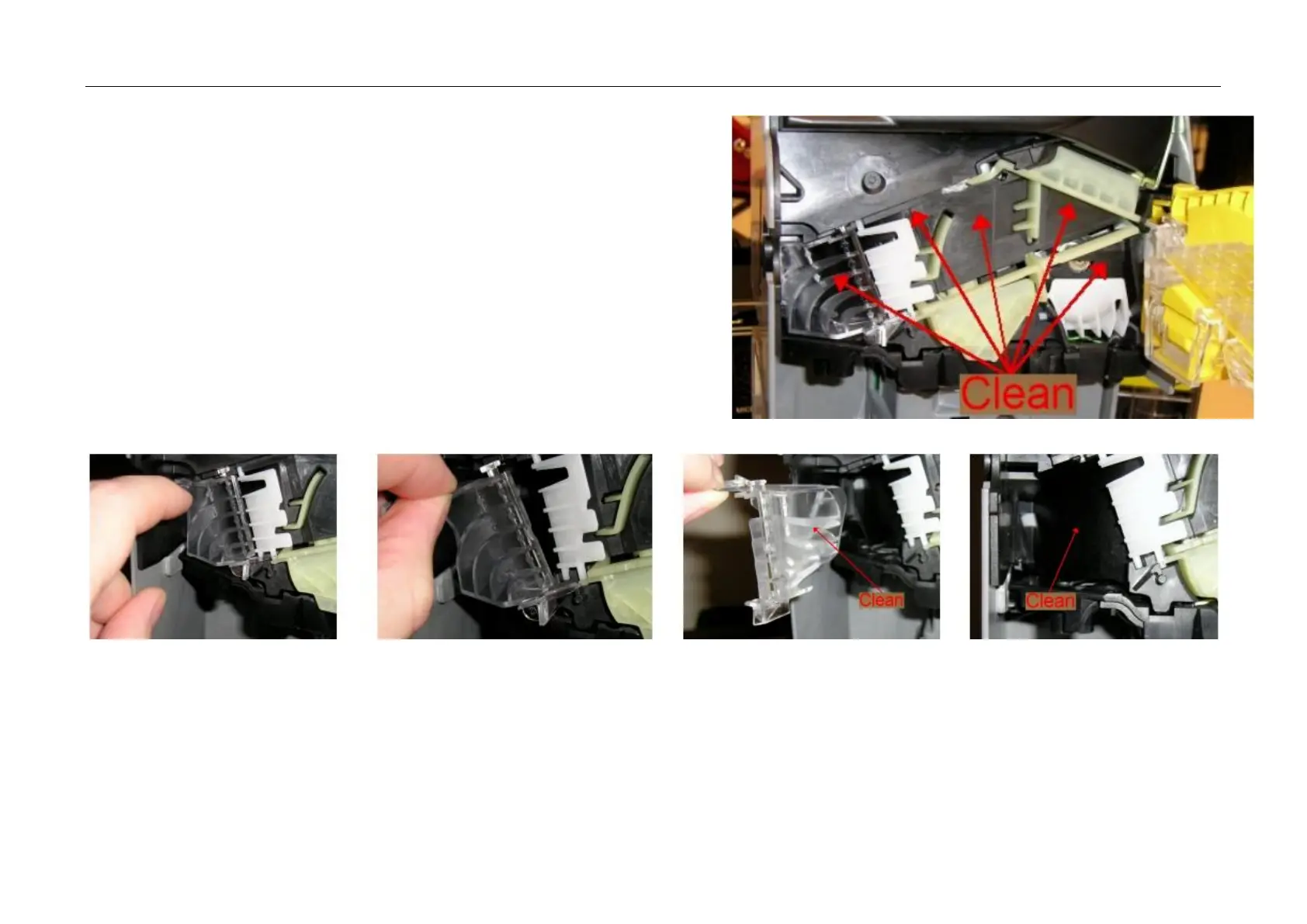
Acceptor gate and routing gates
• Open the MMI by releasing the clip on the left-hand side and swing the MMI out to
the right.
• Clean the areas shown on the right, leaving the surfaces clean and dry.
• You will need to manually press in the accept gate solenoid to get access behind the
gate. A cotton bud may be used to access some areas.
• Remove the „E“ coin path cover by releasing the clip and pulling forward. Clean both
sides of the path cover and the exposed deck (as shown).
• Ensure surfaces are clean and dry and refit the path cover. Ensure the path cover is
correctly fitted and fully clipped home.
• Ensure all gates move freely after cleaning.
Reject path
• Open the MMI by releasing the clip on the left-hand side and swing the MMI out to the right.
• Move the reject slide away from the MMI module.
• Clean both sides of the reject slide and the back of the MMI as shown, leaving all areas clean and dry.
• Ensure MMI fully clips back into place.



 To Next Page