53
7.1 Required programming / settings at the coffee machine
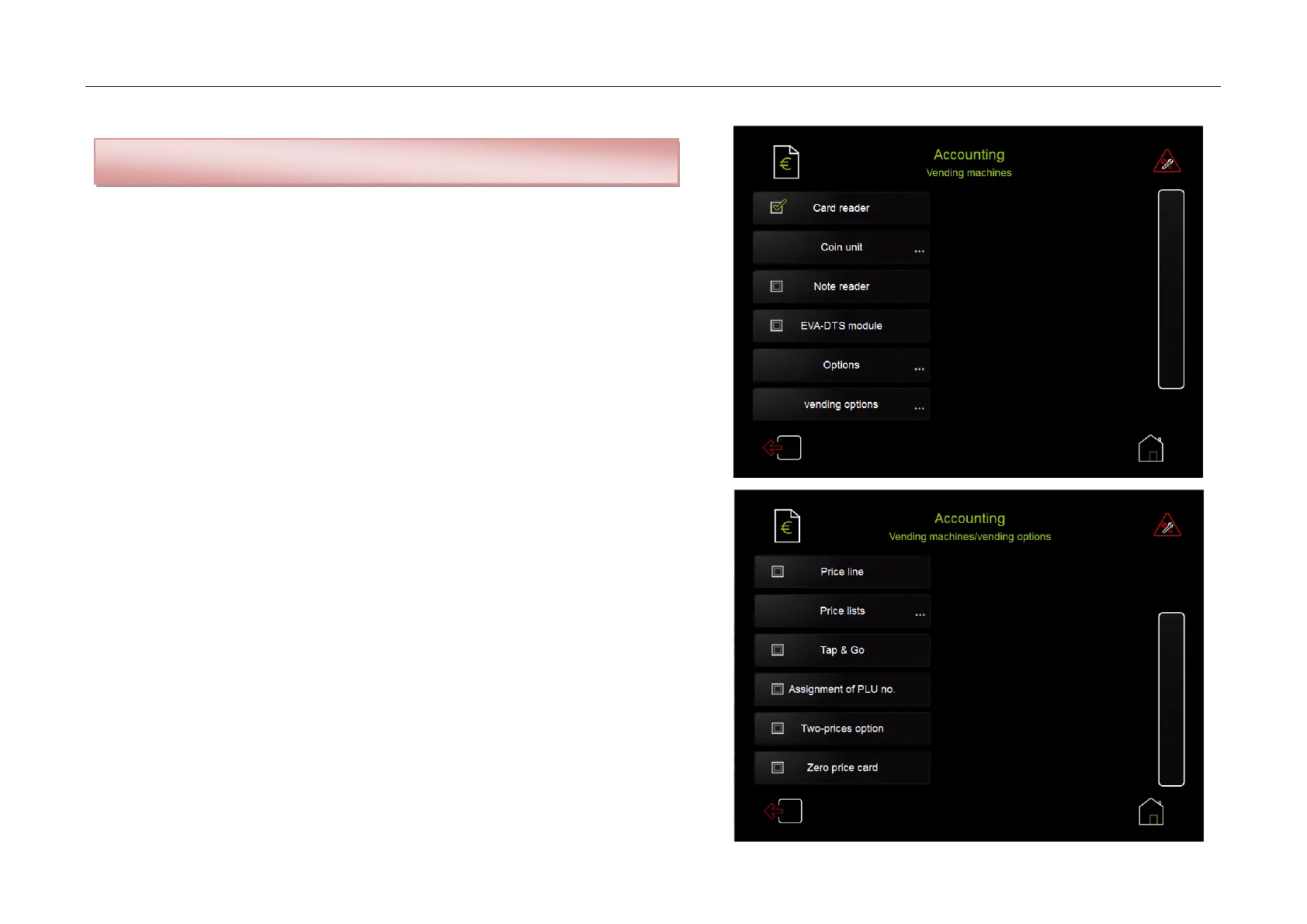
Menu: Accounting / Vending machines
Tick checkbox card reader
Menu: Accounting / Vending machines / Vending options:
Price line - see chapter 9.2
Price lists - see chapter 9.2
Tap & Go:
After having pressed the beverage button, first, the price of the selected beverage
is displayed – as soon as a card with credit is held in front of the card reader
beverage dispensing starts and the amount is deducted from the credit balance on
the card
Assignment of PLU No:
In standard operation the coffee machine transfers the recipe number to the
card reader. If defined beverage numbers are to be transferred, PLU can be defined.
Thus, a turnover analysis can be carried out via a connected merchandise
management system.
Two-prices option - see chapter 7.2
Zero price card:
In connection with accordingly programmed card readers so-called zero price cards
without credit can be used. In this case the card serves to identify and authorize
the vending process.
The booking of the beverage price is carried out by the card reader resp. a
downstream connected accounting system.
Attention: The MDB functionality must be activated – see chapter 4.8



 To Next Page