Radio
95
3
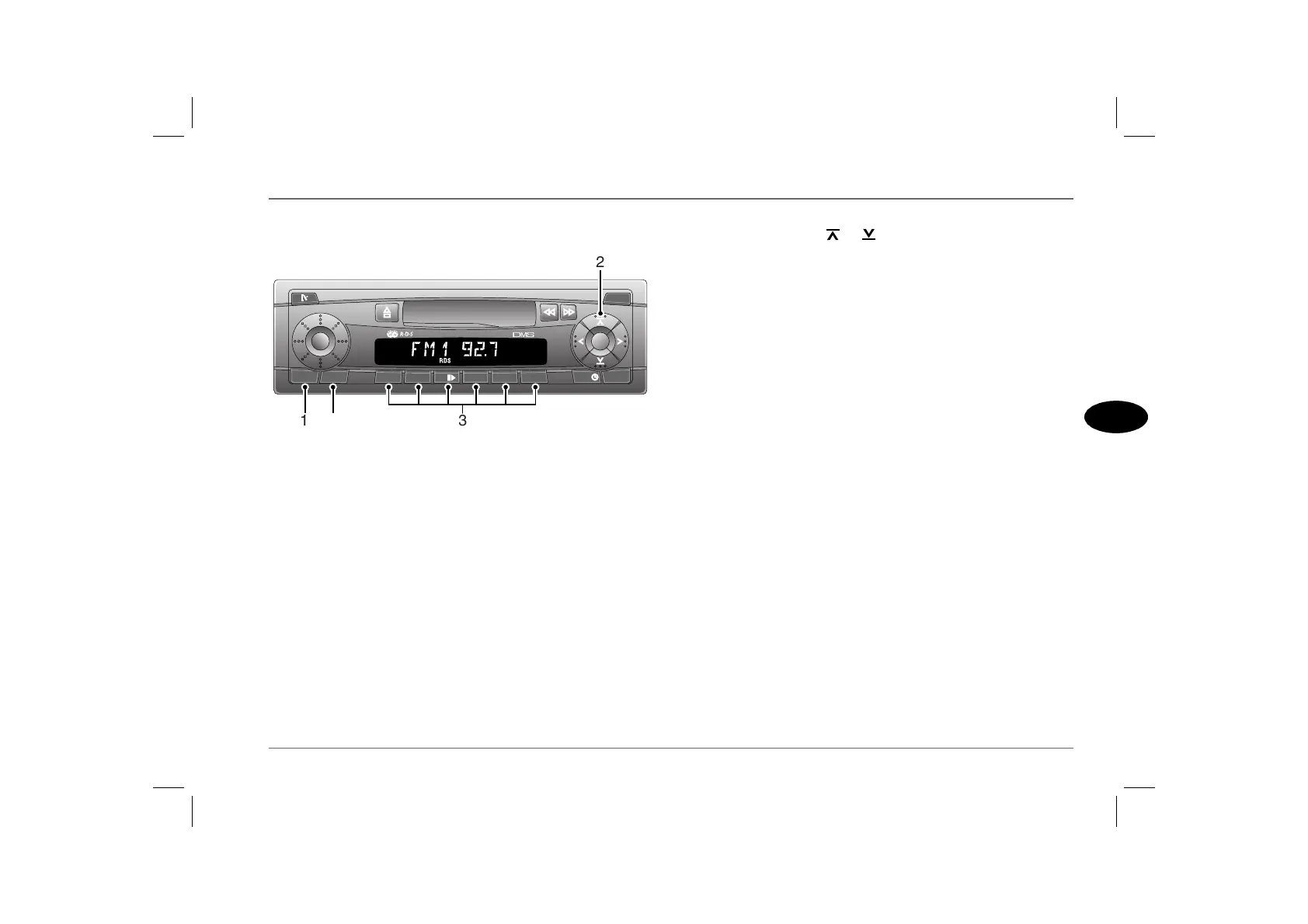
RADIO CONTROLS
1. Waveband/Travelstore selector (BND.TS)
Press briefly to select the required waveband. There are three
memory banks for the FM waveband (FM1, FM2 and FMT - each
has the same tuning range) and two AM wavebands, MW and LW.
Press and hold to activate Travelstore (see ‘TRAVELSTORE’,
page 105).
NOTE: Pressing the waveband selector briefly during tape or CD play
will change the audio mode to radio tuner operation.
2. Tuning controls
Briefly press either the or controls. The unit automatically
searches up or down the frequency range and tunes to the next
receivable station (see ‘TUNING’, page 102).
Radio frequencies can also be selected using the remote switches
on the steering wheel (see ‘REMOTE AUDIO CONTROLS*’,
page 90).
3. Pre-set buttons
Use to store up to 6 radio stations on each waveband or memory
bank (see‘Programming the pre-sets’, page 104).
Press briefly to select a stored frequency.
Press and hold to store a frequency.
4. Traffic information/RDS control
Traffic information: Press briefly to switch on (or switch off) traffic
information mode (see ‘Selecting traffic information’, page 107). Press
briefly to return to normal radio, tape or CD reception during a
traffic information broadcast.
Radio Data System (RDS): Press and hold for two seconds or more
to select or inhibit RDS (the ‘RDS’ indicator illuminates when
RDS has been activated) (see ‘RADIO DATA SYSTEM (RDS)’,
page 108).
AS0048
TRAF.RDSBND.TS
123 64 RPT 5 MIX
AUDIO X-BASS
SRC
MENU
D
M
S
2
31 4



 To Next Page
 Loading...










