
 Need help?
Do you have a question about the MGE UPS Systems Pulsar Evolution 500 Rack and is the answer not in the manual?
Safety guidelines for users, covering electrical hazards, battery handling, and personal protection.
Essential safety measures for UPS installation, operation, and environmental considerations.
Specific advice for UPS handling, charging, and storage to ensure safe and proper operation.
Instructions on how to find information within the manual using its structure and index.
Explanation of visual symbols, warning signs, and LED indicators used throughout the manual.
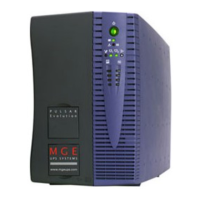
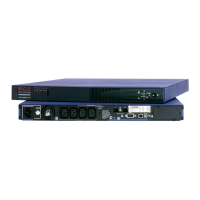
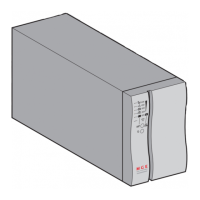
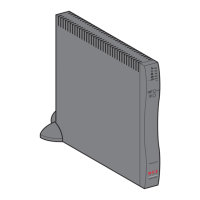
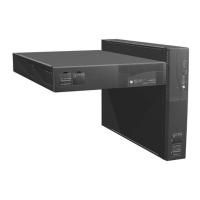
Details the physical specifications and weight for Pulsar Evolution Tower and Rack models.
Identifies and explains the various ports and connectors located on the rear of the UPS units.
Describes the function of buttons, LEDs, and bargraphs on the UPS front control panel.
Lists the contents of the UPS package for Tower and Rack models, including cables and documentation.
Step-by-step instructions for installing the UPS units, covering Tower and Rack mounting configurations.
Guide on how to connect protected equipment to standard and programmable receptacles for optimal backup.
Instructions for connecting the UPS to a computer via RS232 or USB ports for monitoring and control.
How to connect network cables to the UPS for surge protection on data lines.
Procedures for installing an optional communications card to enhance UPS connectivity.
Steps for turning on the UPS, including self-test procedures and understanding initial indicator lights.
Explanation of Booster and Fader modes for maintaining stable output voltage during input fluctuations.
How the UPS operates on battery power and alerts users about low battery conditions.
Guide to configuring UPS parameters like automatic restart, battery tests, and ON/OFF behavior via software.
Settings for input voltage limits that trigger booster, fader, or battery transfer modes.
How to set the UPS sensitivity level to match the power environment.
Solutions for common UPS problems, error indications, and recommended actions for resolution.
Detailed instructions and safety guidelines for replacing the battery module in Tower UPS units.
Instructions for safely removing and installing battery modules in Pulsar Evolution Rack UPS models.
A visual representation of the UPS's internal functional blocks and signal flow.
A table summarizing key electrical and environmental specifications for all Pulsar Evolution models.
Charts illustrating estimated backup runtimes for various loads and UPS capacities.
Definitions of technical terms and acronyms used within the UPS manual.
An alphabetical listing of topics covered in the manual with corresponding page numbers for quick reference.
 General
| Model | Pulsar Evolution 500 Rack |
|---|---|
| Product Type | UPS |
| Power Rating | 500 VA |
| Nominal Input Voltage | 230 V |
| Input Voltage | 230 V |
| Nominal Output Voltage | 230 V |
| Output Voltage | 230 V |
| Output Frequency | 50/60 Hz |
| Topology | Line Interactive |
| Number of Outlets | 4 |
| Rack Size | 1U |
| Weight | 7 kg |
| Outlets | IEC 320 C13 |
| Communication Ports | USB |
| Battery Type | Sealed Lead Acid |
| Transfer Time | 4 ms typical |
| Form Factor | Rackmount |
| Dimensions (H x W x D) | 44 x 430 x 200 mm |





 To Next Page