
 Need help?
Do you have a question about the MGE UPS Systems Pulsar Evolution 1100 and is the answer not in the manual?
Essential safety precautions for personnel and product during handling and operation.
Specific handling and operational precautions for UPS installation and storage.
Guidance on navigating the manual and understanding its visual symbols and indicators.
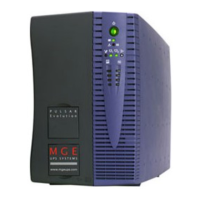
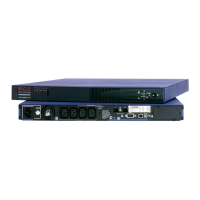
Provides dimensions and weight for Tower and Rack models of the Pulsar Evolution UPS.
Illustrates and identifies the rear panel ports and connectors for various UPS models.
Details the front panel controls, indicators, and bargraphs of the UPS.
Lists and describes the components included in the UPS package for Tower models.
Instructions for installing Tower models of the Pulsar Evolution UPS.
Guide on connecting external equipment to the UPS for power protection.
Steps for connecting the UPS to a computer via RS232/USB and utilizing data-line protection.
Procedure for installing an optional communications card into the UPS.
Steps for powering on the UPS and understanding initial indicators and status.
Explains how the UPS adjusts voltage during input power variations to avoid battery use.
Describes UPS behavior during AC power failure and low battery warnings.
Details how to configure UPS functions using the UPS Driver software, including ON/OFF and battery settings.
Configuration of input voltage thresholds and UPS sensitivity levels for optimal operation.
Guide to identifying and resolving common UPS issues and faults.
Step-by-step instructions for replacing the battery module in Tower UPS models.
Step-by-step instructions for replacing the battery module in Rack UPS models.
Includes a simplified internal diagram and technical characteristics of the UPS.
Graphical representation of expected battery backup duration for various loads.
Definitions of key terms and concepts used throughout the manual.
Alphabetical listing of topics and their corresponding page numbers for easy reference.
 General
| Power Rating | 1100 VA |
|---|---|
| Nominal Input Voltage | 230V |
| Output Voltage | 230V |
| Waveform Type | Sine wave |
| Topology | Line-Interactive |
| Typical Backup Time at Full Load | 5 minutes |
| Form Factor | Tower |
| Battery Recharge Time | 4 hours to 90% |
| Operating Temperature | 0-40°C |
| Humidity | 0-95% non-condensing |
| Output Frequency | 50/60 Hz |
| Input Frequency | 50/60 Hz |
| Battery Type | Sealed lead-acid |
| Communication Ports | USB, RS-232 |





 To Next Page