
 Need help?
Do you have a question about the MGE UPS Systems Pulsar Evolution 800 and is the answer not in the manual?
Explains how to find information using the contents and index.
Defines symbols for important instructions, information, actions, and audio indications.
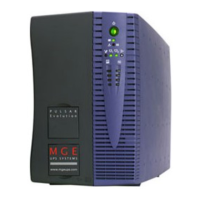
Presents physical dimensions and weight for tower and rack models.
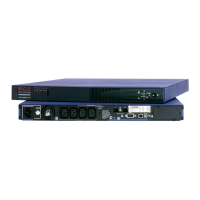
Identifies ports and connectors on the rear of the UPS units.
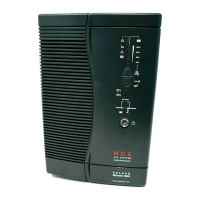
Details the buttons, LEDs, and bargraphs on the UPS front panel.
Lists components and accessories included with tower UPS units.
Lists components and accessories for rack-mount UPS units.
Instructions for installing the UPS in a tower configuration.
Steps for mounting 800/1100/1500 series UPS into a rack.
Steps for mounting the 500 series UPS into a rack.
How to connect devices to the UPS outlets and power source.
Connecting the UPS to a computer for monitoring and control.
Connecting network lines to protect them from surges.
Procedure for installing an optional communications card.
Steps to power on the UPS and verify its status.
Explanation of voltage regulation modes during input power variations.
How the UPS functions when AC power fails and low-battery warnings.
Configurable settings for UPS functions like restart, cold start, and battery management.
Identifies LED indications and buzzer sounds for faults and their solutions.
Step-by-step guide for replacing the battery in tower UPS units.
Step-by-step guide for replacing the battery in rack-mount UPS units.
Illustrates the internal functional blocks of the UPS system.
Provides detailed specifications for different Pulsar Evolution models.
Graphs showing estimated backup times for various loads and UPS models.
Defines key terms and concepts related to UPS operation and features.
Alphabetical listing of topics and their corresponding page numbers for quick reference.
 General
| Power Rating | 800 VA |
|---|---|
| Nominal Input Voltage | 230 V |
| Output Voltage | 230 V |
| Topology | Line Interactive |
| Wave Type | Sinewave |
| Battery Type | Sealed Lead Acid |
| Typical Backup Time at Half Load | 14 minutes |
| Typical Backup Time at Full Load | 5 minutes |
| Interface Ports | USB |
| Form Factor | Tower |
| Output Power | 500 W |
| Output Frequency | 50/60 Hz |
| Number of Outlets | 4 |
| Transfer Time | 4 ms |





 To Next Page