Blaze EMS-2 Operating Manual Page 13
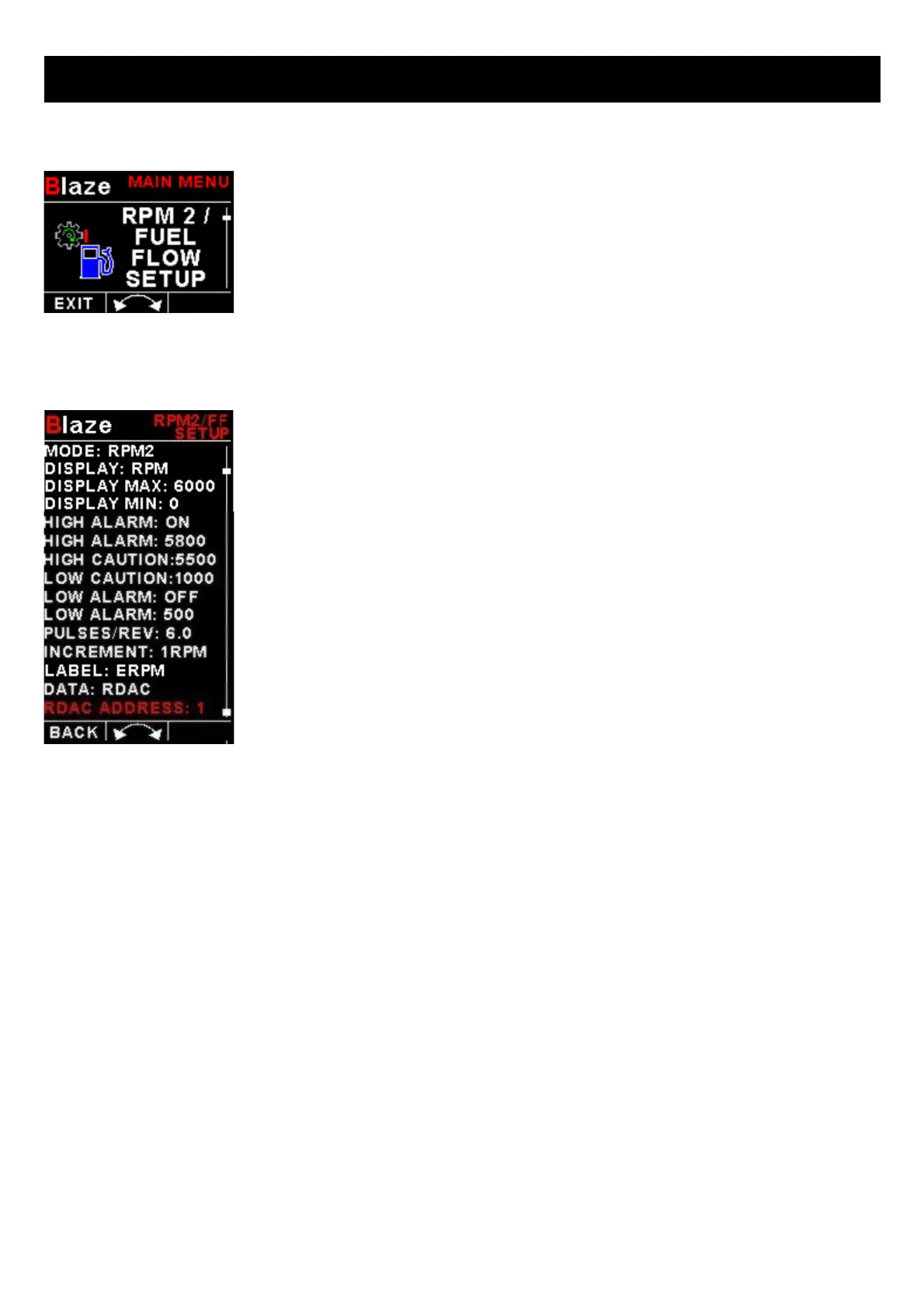
4.4 RPM 2 / Fuel Flow Setup menu option
The RPM-2 input can be used for RPM or fuel flow.
If RPM is selected for “MODE”
Mode:
Select if you want to display “RPM2” or “FUEL FLOW” or “OFF”
Display:
Select if you want the RPM to be displayed in “RPM”, “PERCENT” or “OFF”.
RPM 100%:
Select the maximum value that you want the RPM to correlate to 100%. This is only shown if “Percent” is selected for
display.
Display Max:
Select the maximum RPM that you want the RPM dial to show. This can give you increased display resolution.
Display Min:
Select the minimum RPM that you want the RPM dial to show. This can give you increased display resolution.
High Alarm:
This enables or disables the RPM high alarm.
High Alarm:
Enter the RPM threshold for when the high alarm must be activated. Any RPM value above this value will activate the
alarm.



 To Next Page