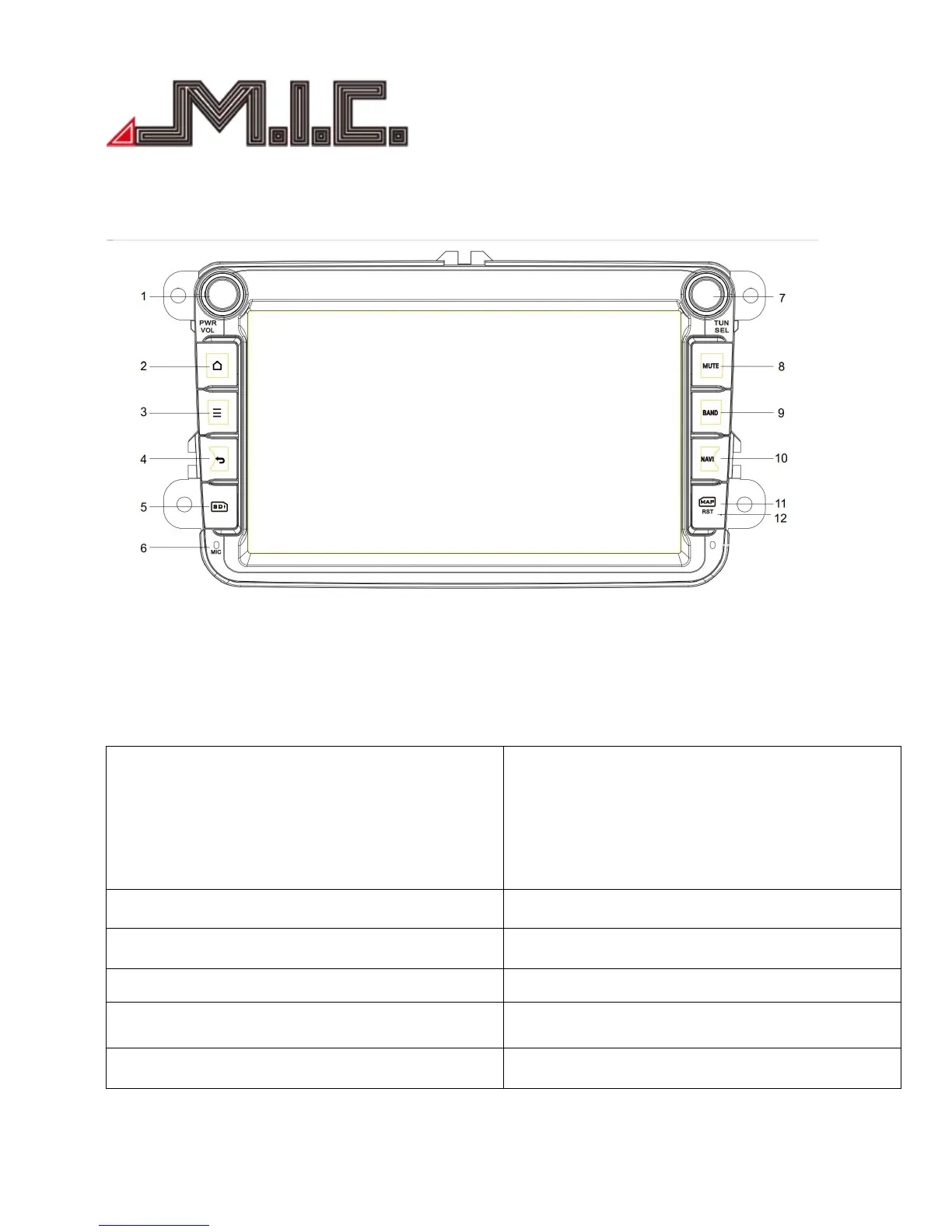
VOL: Volume knob(Rotate the knob clockwise to
raise the sound;Instead, shift to decrease the
volume)
7. TUN: Tune(Change channels on the radio)
SEL: ① Select(Rotate the knob clockwise to
select the previous song/video; Instead, shift to
select the next one).
② Play/Pause/EQ: press to play/pause the
song/video; Long press to access EQ setup.
2. Home: press to return the main menu
8. MUTE: set the player to slient mode
3. Attribute: press to check the details
9. BAND: press to access/start radio
4. Back: press to return the last menu
10. NAVI: press to access/start GPS navigation
11. MAP: GPS map card slot
12. RST: click to restore the system


 To Next Page