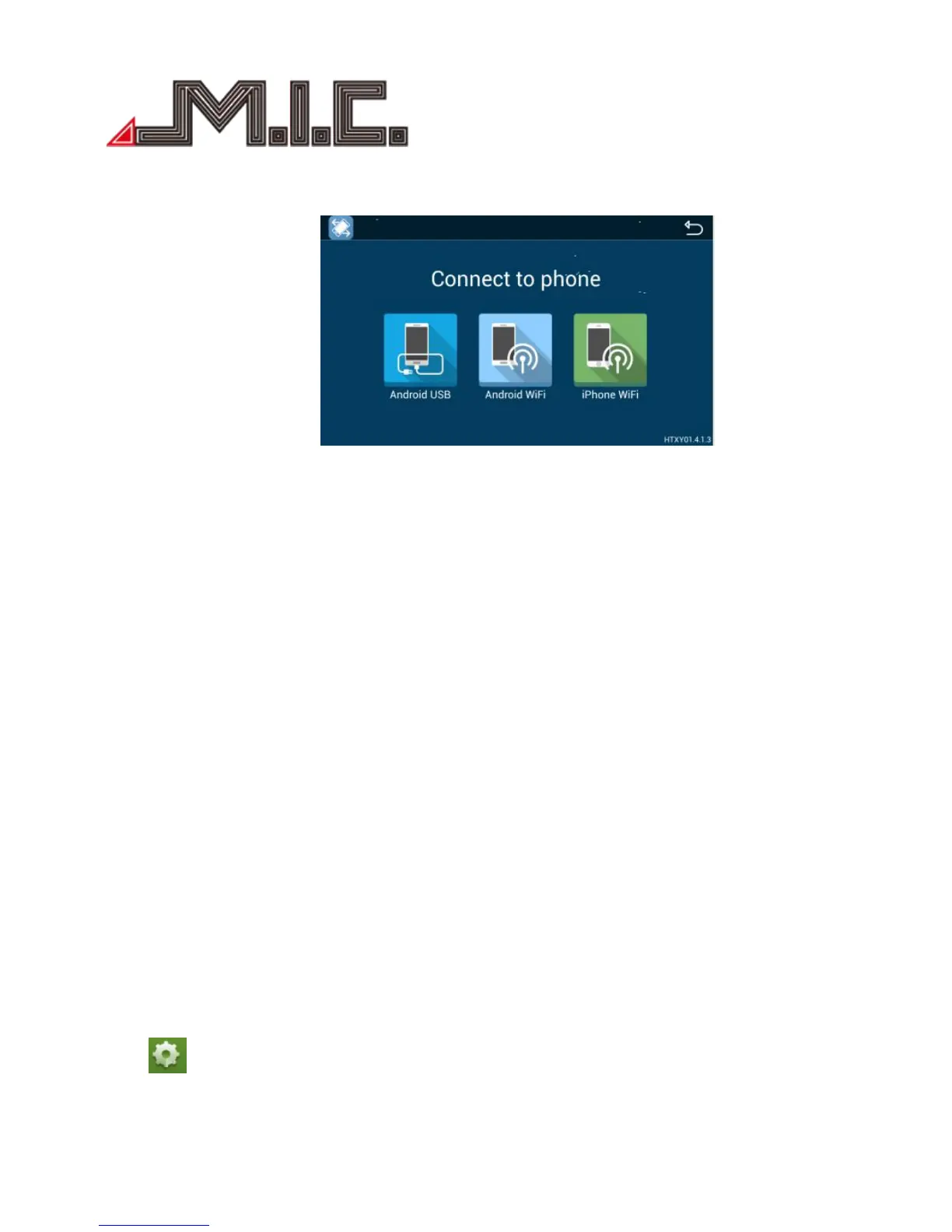
Easy Connect (Mirror link)
Android USB:
1. Enter mobile settings---open “Developer Option”---turn on USB debugging;
2. Connect mobile to the device by USB cable;
3. Install mobile interconnection service;
4. Please keep mobile unlocked;
5. It will take a long time if mobile first connect;
6. Use USB cable if mobile first connect or reboot;
7. Share the audio and video of mobile to our product screen, and 2-way control;
8. Support horizontal and vertical screen display.
1. Open mobile hotspot---select hotspot connection in the list on the left;
2. Connect to the hotsport;
3. Install mobile interconnection service;
4. Share the audio and video of mobile to our product screen, and 2-way control;
5. Support horizontal and vertical screen display.
1. Open iPhone hotspot---select hotspot connection in the list on the left;
2. Connect to the hotsport;
3. Open iPhone AirPlay and Mirroring function to connect;
4. Share the audio and video of mobile to our product screen;
5. Support horizontal and vertical screen display.
Settings
Click to enter System Settings mode, including Wireless & network, Device, Personal, System, and Car
settings, as below:


 To Next Page