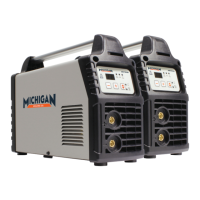
8 ACDC200LCD
PROPER CARE, MAINTENANCE AND REPAIR
WARNING
!!
Always have power disconnected when working
on internal components.
Do not touch or handle PC board without being properly
grounded with a wrist strap. Put PC board in static proof bag to
move or ship.
Do not put hands or ngers near moving parts such as drive
rolls of fan.
ACDC200LCD Use and Care
Do not modify the ACDC200LCD in any way. Unauthorized modication may impair
the function and/or safety and could aect the life of the equipment. There are
specic applications for which the ACDC200LCD was designed.
• Always check of damaged or worn out parts before using the ACDC200LCD.
Broken parts will aect the ACDC200LCD operation. Replace or repair damaged
or worn parts immediately.
• When ACDC200LCD is not in use, store it in a secure place out of the reach of
children. Inspect it for good working condition prior to storage and before re-use.
Caring for the Environment
When a tool is no longer usable it should not be disposed of with household waste,
but in an environmentally friendly way. Please recycle where facilities exist. Check
with your local council authority for recycling advice.
Recycling packaging reduces the need for landll and raw materials. Reuse of recycled
material decreases pollution in the environment. Please recycle packaging where
facilities exist. Check with your local council authority for recycling advice.
Transport and Storage
• Hold the handle or the bottom to move it.
• The machines should be rmly secured during transportation.
• The machines should be stored out of the rain.


 To Next Page