apn123456+space+
apn name
apnuser123456+
space+apnuser
apnpasswd123456+
space+apnpassword
apn ok
apnuser ok
apnpasswd
ok
apn123456 cmnet
apnuser123456 cmnet
SMS Command
Format
Reply Example Note
Please get the exact correct APN name from
local SIM card provider.“cmnet” is just an
example of APN name.
apnpasswd123456 123
lf the SIM card operator doesn’t have APN user
name,then please ignore this configuration
Note: The APN information is very important, it must 100% correct to match with the sim card of
the tracker, if you configured wrong APN, the tracker also will reply "SET APN ok" but it will
can't get online!
Please get the exact correct APN name from local SIM card provider.Take the tracker to a
good signal place for operation and configure the APN for it as below:
Step 4
Step 3
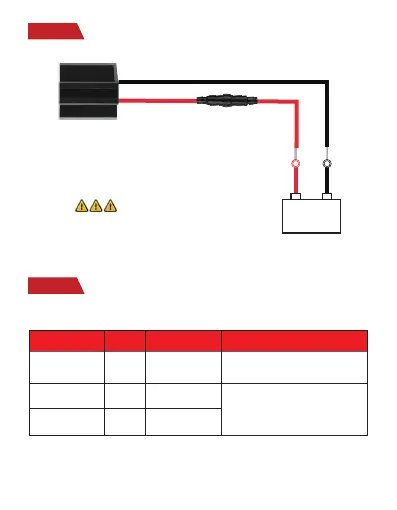
Wiring
Configure APN
Car Battery
+
-
NOTE
: After installed SIM card correctly , it is
very important to connect the tracker with external power no
less than 12V for power supply before operation!
9-90V DC



 To Next Page