EasyManua.ls Logo

MICODUS MV790G - User Manual

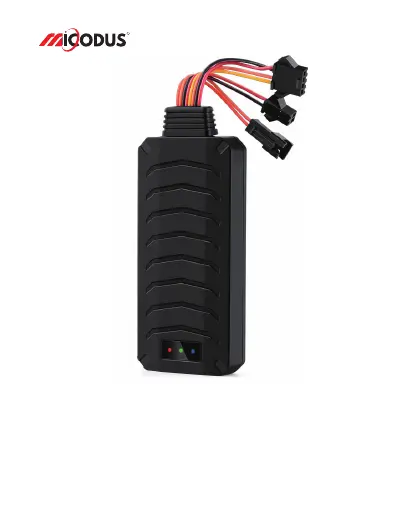
MICODUS MV790G
11 pages
Print Icon
To Next Page IconTo Next Page
Loading...
MV790G User Manual V1.0
Learn how to set up your new MiCODUS Tracker
Copyright ©2023 MiCODUS | All Rights Reserved
R

Questions and Answers

Summary

Main Features

Overview of Device Capabilities

Lists core functionalities including GPS, fuel control, alarms, and tracking modes.

Specifications

Device Information and Parameters

Details on model, dimensions, working voltage, current, sleep current, battery, temp, humidity, frequency.

Cellular and GNSS Specifications

Technical details for cellular network and satellite positioning systems.

External Interface

Specifies available physical interfaces like SOS and Microphone.

Getting Online

SIM Card Requirements

Essential criteria for selecting and preparing the SIM card.

Wiring and LED Indicators

Visual guide for connecting the device and understanding LED status.

Configure APN via SMS

Step-by-step instructions for setting the Access Point Name using SMS commands.

Package Content

Functions Explanation

Vibration Alert Setup

Guide on configuring the device to detect and report vibrations.

Fuel Cut Off and Resume

Procedures for remotely disabling and re-enabling vehicle fuel supply.

Engine On;Off Alarms

How to set up alerts for engine start and stop events.

Installation Recommendations

Troubleshooting

Connectivity and Location Issues

Solutions for problems like no connection, offline status, or poor GPS accuracy.

Command Response Problems

Steps to resolve issues where the device fails to respond to commands.

SMS Commands List

Query and Setting Commands

Overview of SMS commands for checking status and configuring basic settings.

Device Identification & Password

Commands for IMEI checking and changing the device password.

APN and Network Configuration

Commands for setting APN, IP, domain, and port details.

Data Upload and Time Settings

Configuration for data upload frequency and device time zone.

Arm, Disarm, and Fuel Control

Commands related to arming status, fuel cut-off, and resume.

Auto Arm and ACC Settings

Configuration for automatic arming based on vehicle ACC status.

Sleep Mode Management

Commands to control the device's power-saving sleep modes.

Alarm Configuration

Setup for movement, overspeed, vibration, tow, and engine alarms.

Battery and Power Alarms

Configuration for low voltage and power off alerts.

Support and App Download

Contact Information

Provides email and Skype details for customer support.

Download MiCODUS APP

Instructions on how to download the mobile application.

MICODUS MV790G Specifications

General IconGeneral
BrandMICODUS
ModelMV790G
CategoryGPS
LanguageEnglish

Related product manuals